Login
You're viewing the assemblag.es public feed.
  • Oct 16, 2026, 12:51 AM

    Does anyone have any thoughts on this AI removal system for macOS 27?

    github.com/omlahore/RemoveMacAI

    In v27, Apple removed “Intelligence” from the UI, so it can’t be disabled as with previous versions.

    I disabled everything Siri (and what I thought was Intelligence). But I can still see these chips in Messages. If it’s suggesting replies, it’s reading my messages.

    What’s more, the language model consumes 27GB of space. WTF‽

    I’ve read the code in RemoveMacAI, but I’m not knowledgable enough to be sure it’s safe. I’d love to know what y’all know.

    #Apple #AppleIntelligence #macOS27 #Privacy #InfoSec #AI

    A small info tooltip showing a suggested reply just below the message entry input that reads “okay, got it.”
    A macOS storage status showing Apple Intelligence using 26.39 gigabytes of space.
    💬 3🔄 3⭐ 0

Replies

  • Oct 16, 2026, 1:39 AM

    @markwyner I've used that on a couple of machines and it seems to really work well. I even tested the reversal, it restores everything back to defaults.

    I used it on an iMac because of performance issues, which seems to have made things better. I also ran it on my MacBook Air that I use daily for programming because I hate the Siri AI suggestions when writing. I haven't had any issues with everything disabled.

    💬 1🔄 0⭐ 0
  • 💬 0🔄 0⭐ 0
  • 💬 0🔄 0⭐ 0
  • 💬 1🔄 0⭐ 0
  • Oct 16, 2026, 5:35 AM

    @bob_zim okay, now I see. RemoveMacAI is a whole bunch of stuff piled on top of the one thing I actually want. Plus it has a much longer history of commits and no binary.

    I’m gonna read through that code to see how it shakes out.

    Thank you for the recommendation.

    💬 0🔄 0⭐ 0
  • 💬 0🔄 0⭐ 1
  • 💬 0🔄 0⭐ 0
  • 💬 0🔄 0⭐ 0
  • Oct 16, 2026, 4:38 PM

    @grumpybozo

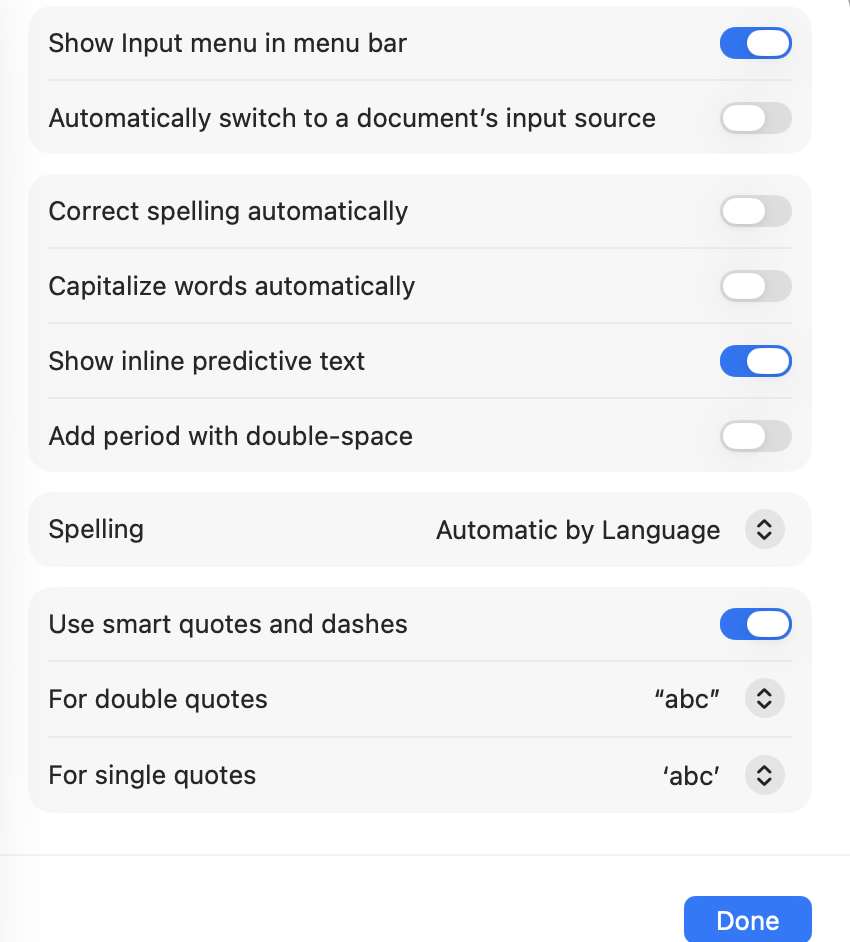
    Thanks for the suggestion, Bill. But this isn’t predictive text. I’ve already killed at these settings. Good idea, though.

    Also, I’m with Sergio. Your screenshot shows a non-standard UI. You must have customized something?

    @sergiodomeyko

    💬 1🔄 0⭐ 0
  • Oct 16, 2026, 4:58 PM

    @markwyner @sergiodomeyko That's very very odd.
    You don't see a "Show suggested replies" item? I have that on both a Sequoia machine and a Tahoe machine. If it's due to something I've customized, I have no idea what that could be. I found that item from someone else mentioning it in a toot.

    💬 0🔄 0⭐ 0
  • Oct 16, 2026, 8:09 PM

    @grumpybozo

    Oh, I do. But your layout is very different. Also, your buttons and other UI elements don’t look like native macOS.

    Maybe you have accessibility settings configured for contrast or something?

    Also, the core apps and settings views are different across various machines. So a MacBook Pro has a different UI/UX than a MacBook Air. But the visual design of the components (buttons, window chrome, etc.) are the same universally.

    @sergiodomeyko

    💬 0🔄 0⭐ 0