@mcc i think you can wire up your application to create a desktop file pointing to its own executable, wherever that is
most 'portable' applications i've seen do this or just not bother at all with desktop files

@mcc i think you can wire up your application to create a desktop file pointing to its own executable, wherever that is
most 'portable' applications i've seen do this or just not bother at all with desktop files
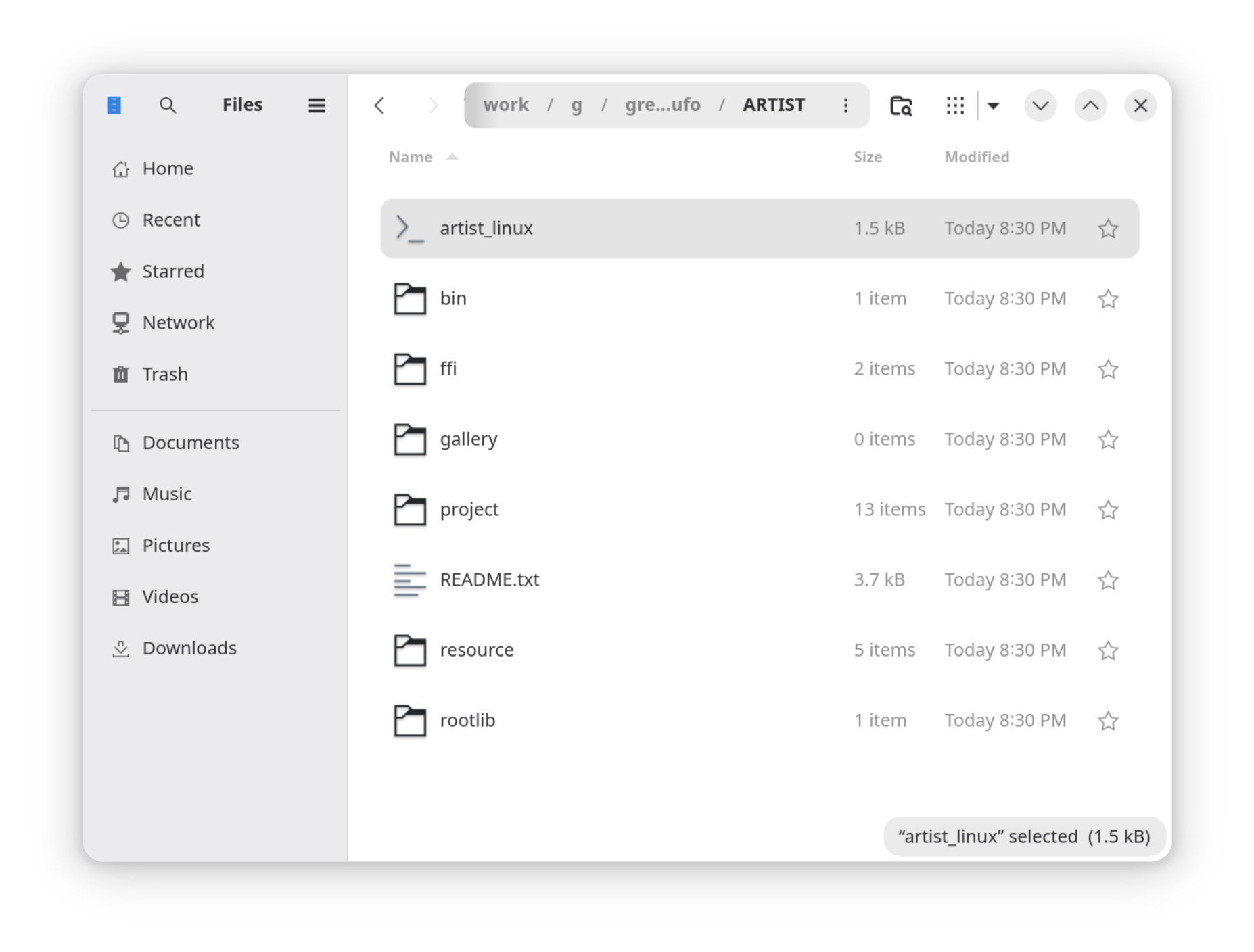
@whitequark Imagine I have a Linux application in a directory. The entry point is a shell script named "artist_linux". If you run this from a command line, it runs the application. If you double click this in GNOME, it opens in gedit.
Is there any way at all for me to helpfully engage with the Linux GUI (gnome, qt) short of changing my packaging strategy (eg, creating a Flatpak or Appimage)?
@mcc assuming you're distributing this as a tar file and file mode gets preserved: if you replace the shell script with an executable int main() { system("./bin/artist_linux"); } it will definitely not get opened in gedit heh
@whitequark Okay. Thanks. I think I hate this.
@mcc appimage is basically the same thing but the archive is inside not the outside
@whitequark but it presents as an executable, right? so if double clicked it would presumably run (no idea if it would have, for example, an icon)
@mcc yes
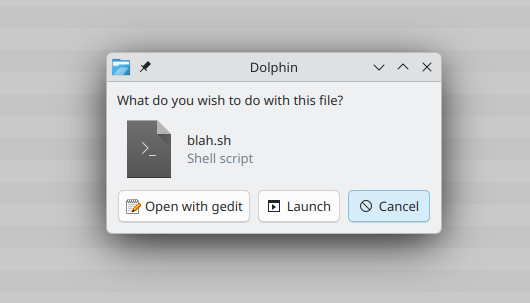
some Linux file managers (dolphin) do extract icons from Windows executables (!) these days, not sure about Linux executables
@mcc looks like the answer is no and you need "appimaged" (which is kinda stupid) https://askubuntu.com/a/1118922
@mcc "appimaged" has this absurd feature list https://github.com/probonopd/go-appimage/blob/master/src/appimaged/README.md
@whitequark Well… uh…
@mcc @whitequark write a desktop file on first launch, i guess would be the best bet?
@whitequark @mcc oh sorry i apparently skipped a message in the thread
@dotstdy @whitequark if the user cannot figure out how to launch the application, then writing a desktop file on first launch will not be helpful.
additionally, it is unclear to me what a .desktop file would do if i had one. when i tried creating a .desktop file, I could not figure out how to interact with it. would you expect double clicking a .desktop file to open the application? For me it opened in a program named "Main Menu" created by a group named LibreMenuEditor.
@dotstdy @whitequark (Another oddity I'm just noticing; if you are looking at an application in the GNOME "Software" application, such as "Main Menu", there does not appear to be a way to share a link to that pane in GNOME software, such as would allow me to say, in a mastodon post, "this" and link to the "Main Menu" application to distinguish it from the other program in GNOME software named "Main Menu".)
@mcc @whitequark desktop file just adds an entry in the start menu, you still need to have some way to create it in the first place anyway, which means clicking on something executable.
@dotstdy it appears to mean "clicking on an ELF executable", since double clicking on a +x shell script does nothing
@mcc that depends on your desktop environment. (so yes, a regular elf binary is a good way to make it more likely to work without complexity)
@dotstdy @mcc Yes this is a Nautilus problem. They're trying to be more secure by banning direct shell script execution, but in practice this is inconvenient for some use cases, especially if you're used to a Windows style way of distributing programs.
Dolphin and some other file managers don't have this problem.
Probably best to do an ELF executable. It is an oversight that ELF defines no embedded icon though.
@shironeko but there are no proper channels. Or at least none that are consistent cross distribution. Unless I (1) make a container and (2) assume Ubuntu users will know what to do with a flatpak
@shironeko I don't need there to be only one distro; I just need there to be one fewer (Ubuntu).
@mcc @whitequark add installation instructions to the top of the script file so if someone opens it in gedit they will know what to do?
#!/usr/bin/env bash
echo "xfce: right click, open with, open with other application, use a custom command, browse, bash, open, open"
Doesn't seem sketchy at all.
@poleguy @whitequark honestly if my installation instructions consisted of "cd to project-src and run `make`" it would seem less sketchy