Login
You're viewing the mstdn.social public feed.

Replies

  • Jun 26, 2026, 2:04 PM

    Funny story: last year at INIT HELLO, Stavros sat down next to me and casually said "I have the source code to Copy II Plus on this laptop; would you like it?"

    I don't remember every line in Ghostbusters, when someone asks you if you want the source code to Copy II Plus, you say yes.

    💬 1🔄 3⭐ 29
  • Jun 26, 2026, 2:08 PM

    So I've spent the past year poring through the Copy II Plus source code. Like all mature products created by multiple people over the course of a decade, the code is battle-scarred and disheveled and occasionally hilarious.

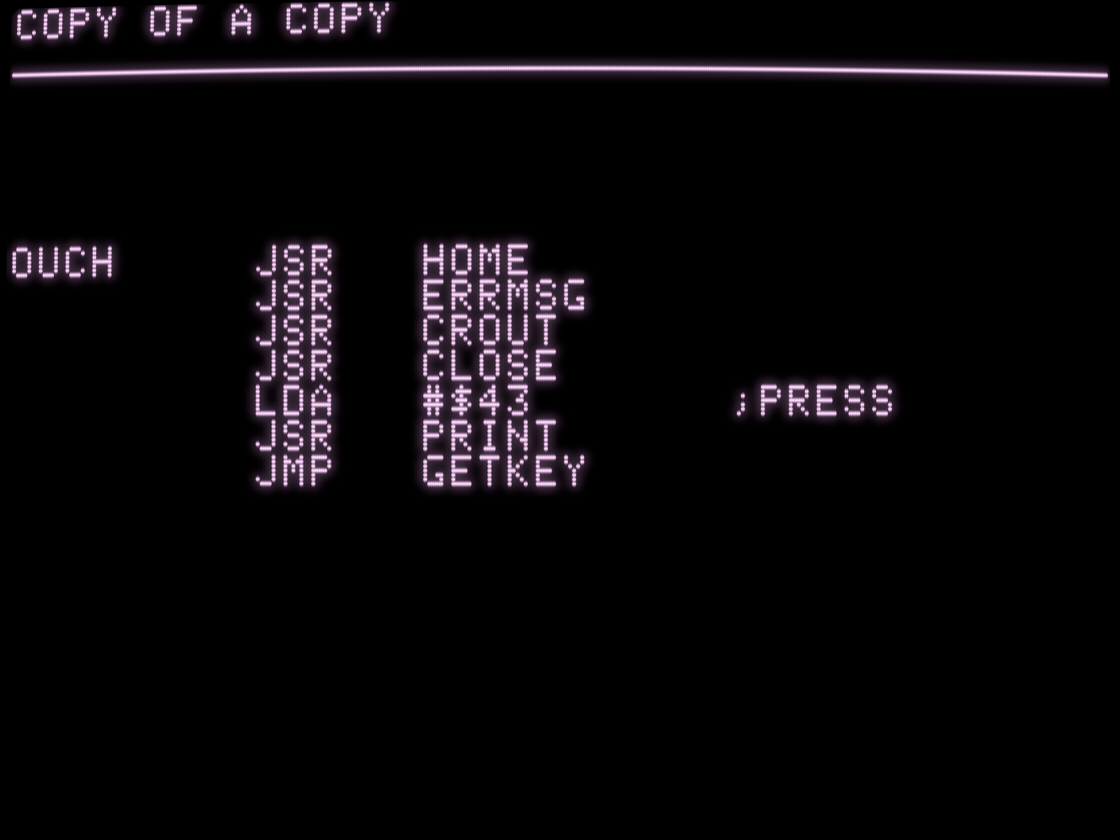
    It has a fatal error routine named OUCH.

    OUCH     JSR   HOME
         JSR   ERRMSG
         JSR   CROUT
         JSR   CLOSE
         LDA   #$43       ;PRESS
         JSR   PRINT
         JMP   GETKEY
    💬 2🔄 8⭐ 35
  • Jun 26, 2026, 2:10 PM

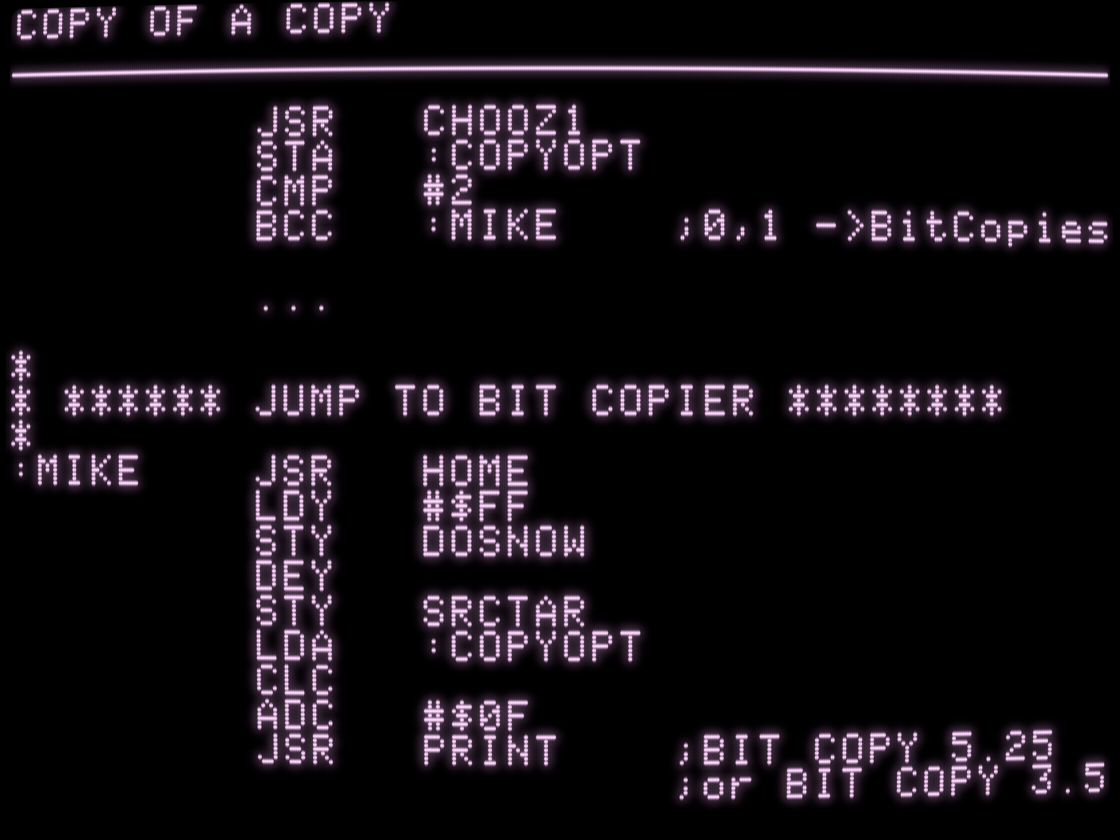
    The routine to launch the separate bit copy program is named MIKE, presumably after Michael Brown, the founder of Central Point Software and the original author of the bit copy program.

    JSR   CHOOZ1
         STA   :COPYOPT
         CMP   #2
         BCC   :MIKE    ;0,1 ->BitCopies

         ...

*
* ****** JUMP TO BIT COPIER ********
*
:MIKE    JSR   HOME
         LDY   #$FF
         STY   DOSNOW
         DEY
         STY   SRCTAR
         LDA   :COPYOPT
         CLC
         ADC   #$0F
         JSR   PRINT    ;BIT COPY 5.25
                        ;or BIT COPY 3.5
    💬 1🔄 2⭐ 9
  • Jun 26, 2026, 2:16 PM

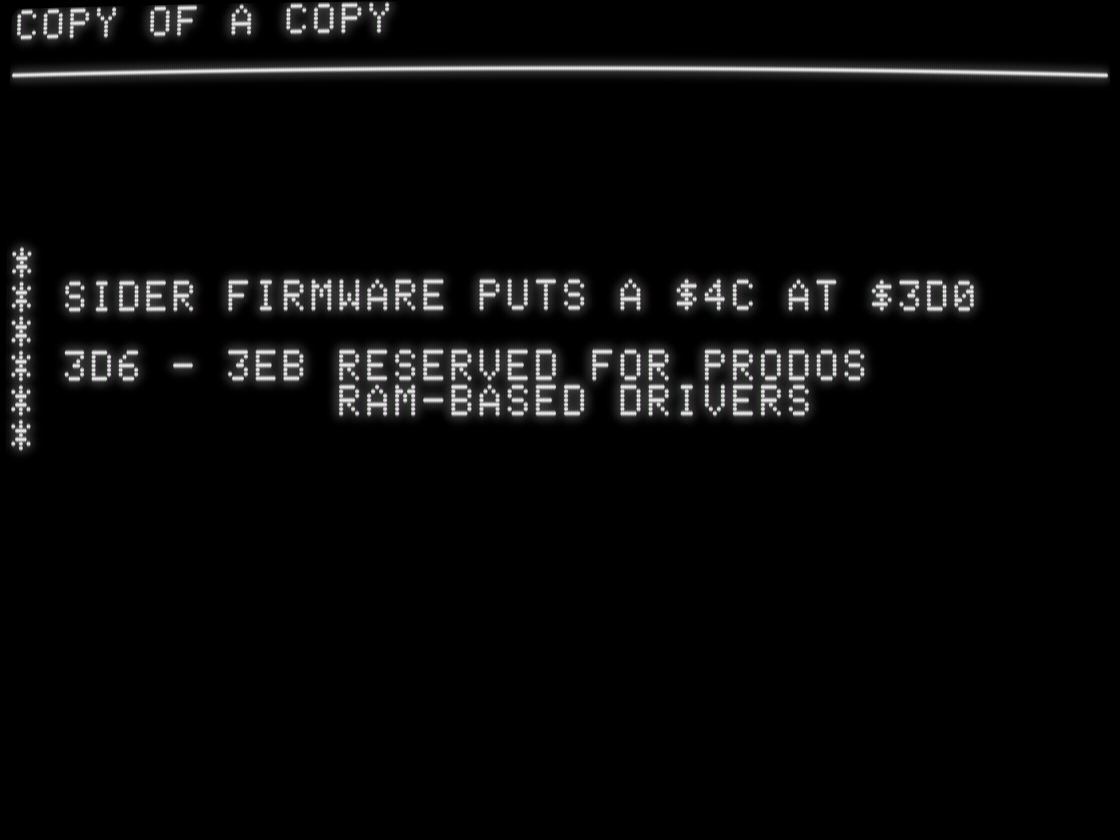
    But as with many things, the real gold is in the comments. By 1989, Copy II Plus was a world-class, mature product that was used everywhere and therefore had to deal with everything. Hardware bugs, software bugs, cosmic rays, you name it. One common problem on the Apple II was hardware drivers using addresses in main memory for their own purposes, sometimes even assuming their values were persistent. Hilarity did not ensue.

    *
* SIDER FIRMWARE PUTS A $4C AT $3D0
*
* 3D6 - 3EB RESERVED FOR PRODOS
*           RAM-BASED DRIVERS
*
    💬 1🔄 2⭐ 11
  • Jun 26, 2026, 2:18 PM

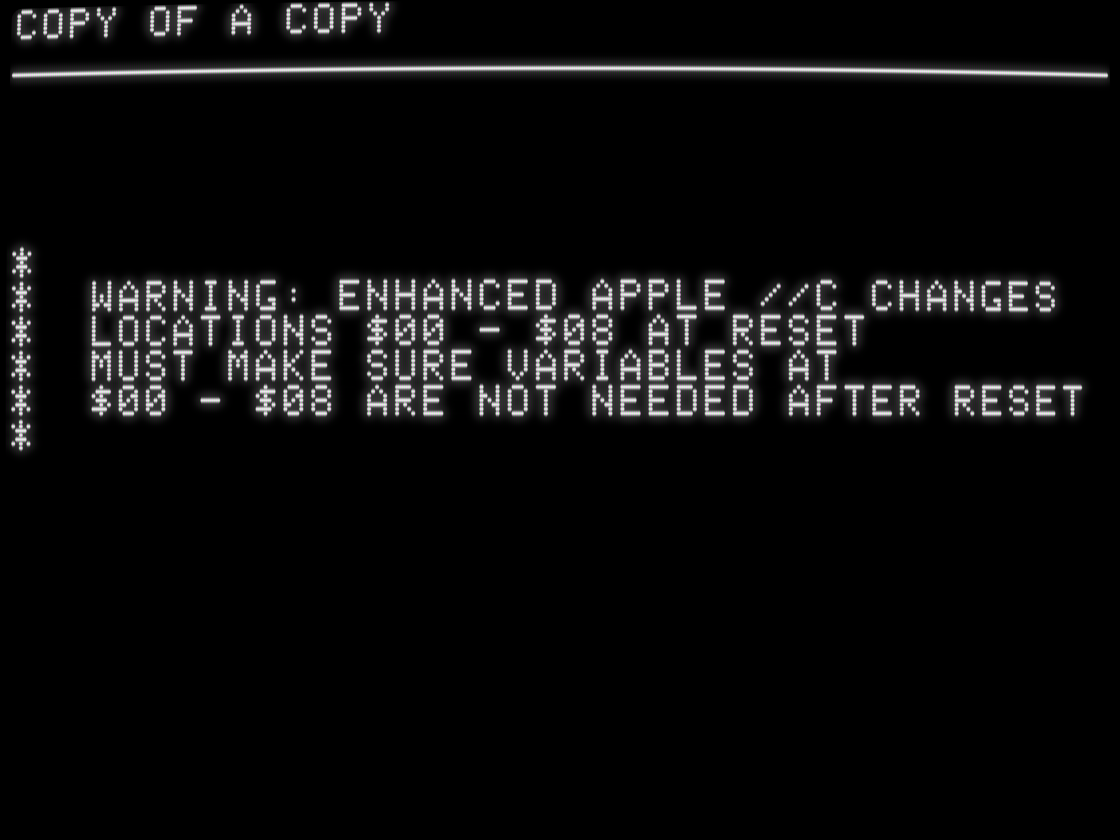
    I think "enhanced //c" here means the ones with the Zip Chip accelerator built-in. We had similar problems in Total Replay.

    *
*  WARNING: ENHANCED APPLE //C CHANGES
*  LOCATIONS $00 - $08 AT RESET
*  MUST MAKE SURE VARIABLES AT
*  $00 - $08 ARE NOT NEEDED AFTER RESET
*
    💬 1🔄 1⭐ 7
  • Jun 26, 2026, 2:20 PM

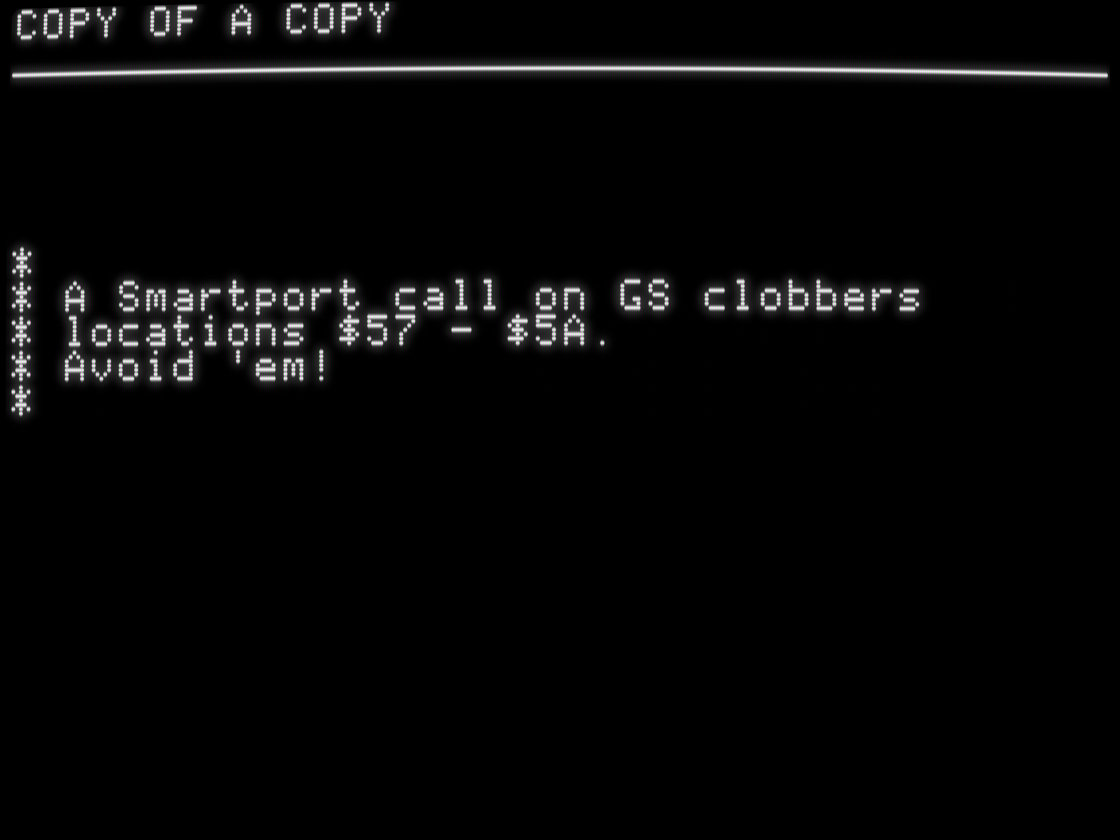
    The IIgs was very backward-compatible. Couple of edge cases, probably nothing to worry about. Unless you're Copy II Plus and need to worry about everything.

    *
* A Smartport call on GS clobbers
* locations $57 - $5A.
* Avoid 'em!
*
    💬 1🔄 2⭐ 13
  • 💬 0🔄 2⭐ 17
  • Jun 26, 2026, 2:29 PM

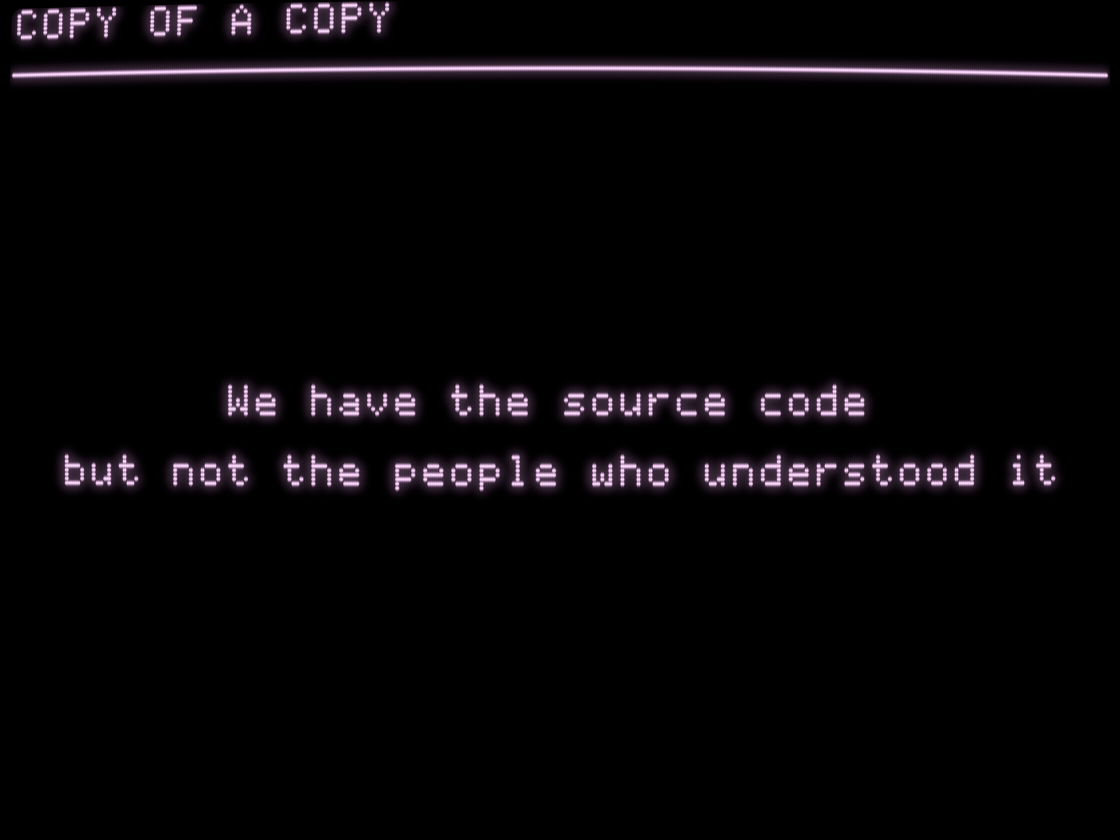
    So what we have, after 40 years, is a pile of source code. Which is amazing -- for 99% of programs we don't even have that. But if a program is a living thing in the minds of the people who make it, then we don't have that.

    Could we recreate it?

    We have the source code

  but not the people who understood it
    💬 1🔄 4⭐ 17
  • Jun 26, 2026, 2:35 PM

    To understand this pile of code, we have to understand how it was "modified so as to cater for changing demands." And for that, we start by looking at how Copy II Plus evolved over the course of a decade.

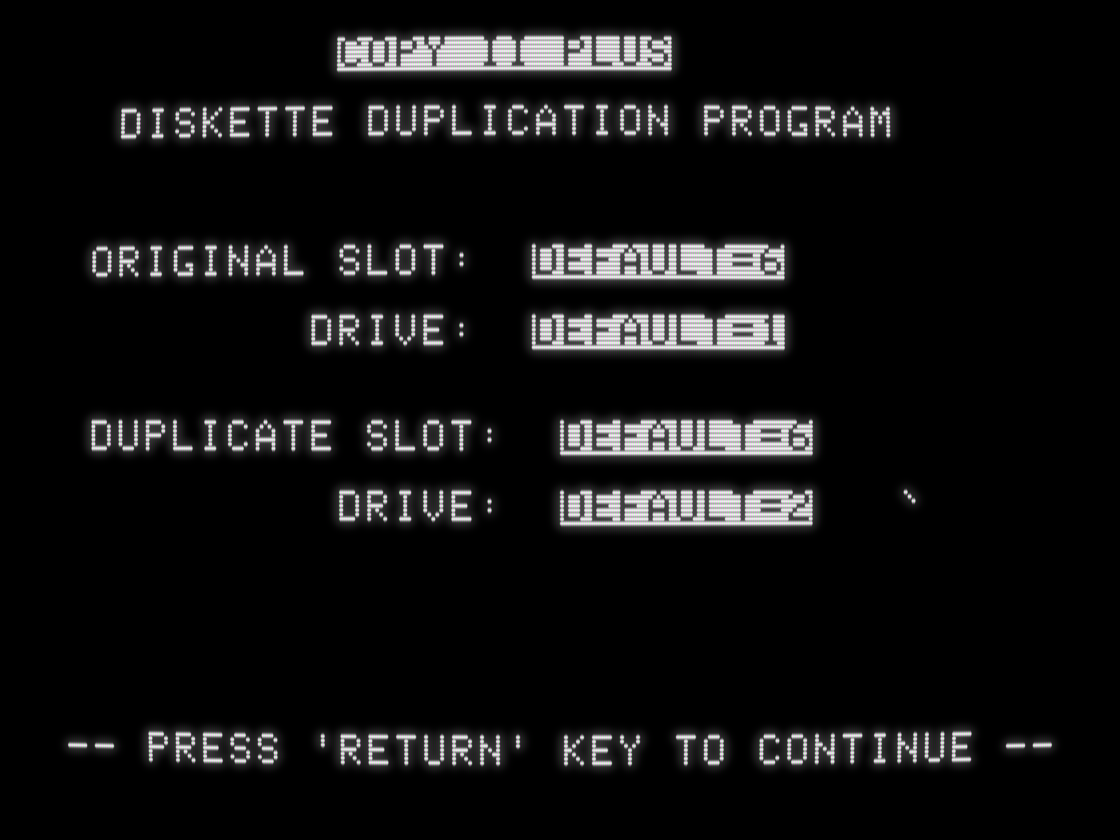
    This is Copy II Plus version 1.0, preserved only recently by @A2_Canada. I had some thoughts at the time: mastodon.social/@a2_4am/111174

    screenshot of "Copy II Plus Diskette Duplication Program" with slot/drive options and nothing else
    💬 1🔄 1⭐ 9
  • 💬 2🔄 1⭐ 10
  • Jun 26, 2026, 2:46 PM

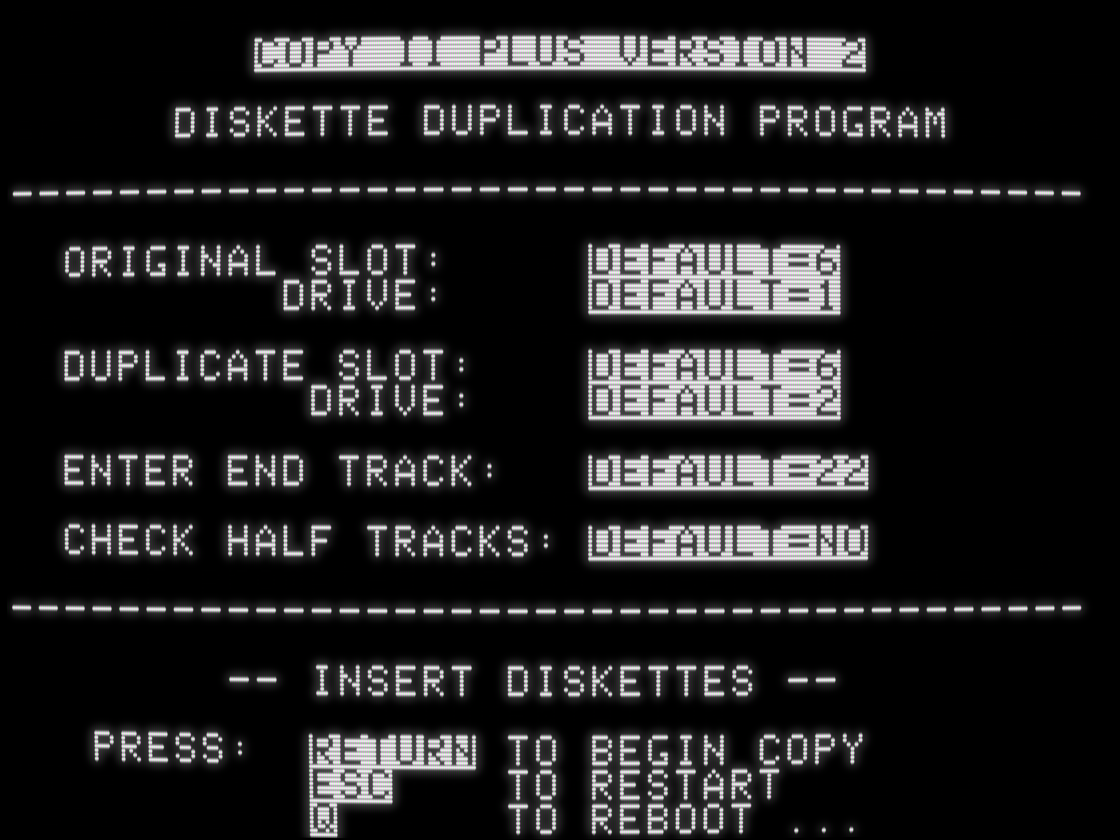
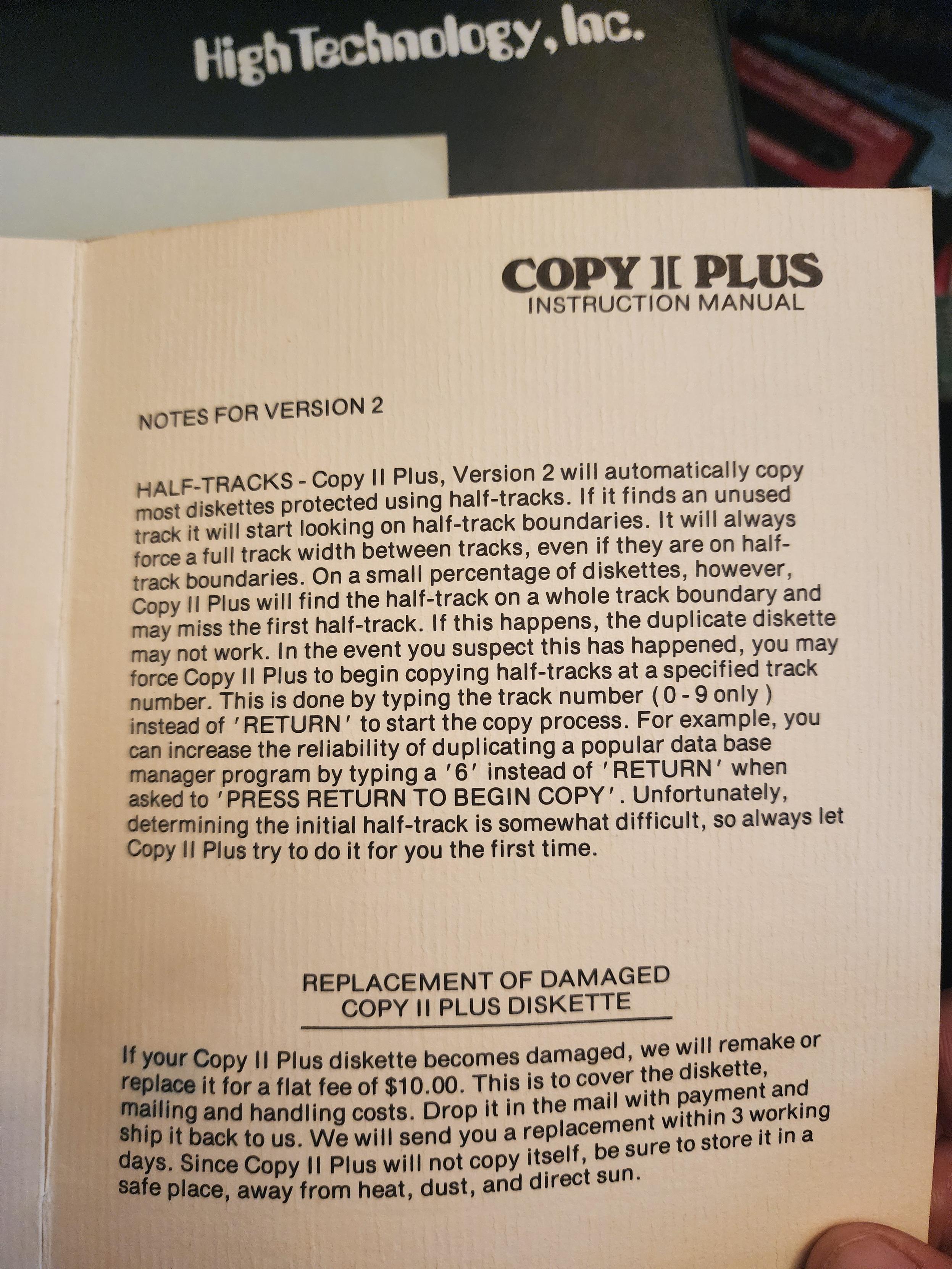
    Version 2 was a little better, with the innovation that it could try to automatically find data on half tracks and copy them without additional parameters. (Thanks to @txgx42 for finding documentation on this.)

    screenshot of "Copy II Plus Version 2 Diskette Duplication Program" with slot/drive, end track, and half track options
    COPY II PLUS instruction manual

NOTES FOR VERSION 2

HALF-TRACKS - Copy II Plus Version 2 will automatically copy most diskettes protected using half-tracks. If it finds an unused track it will start looking on half-track boundaries. ...
    💬 1🔄 1⭐ 6
  • Jun 26, 2026, 2:48 PM

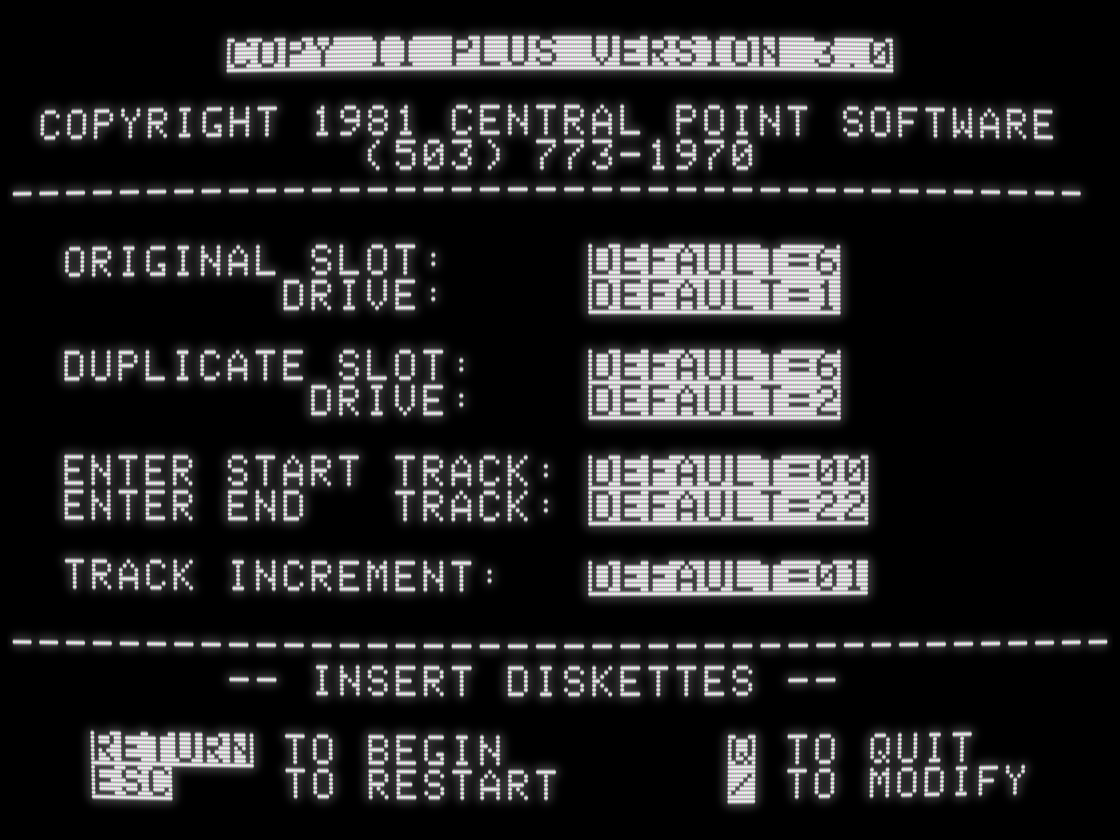
    Version 3 was a little better and introduced modifiable parameters that users could set to copy specific disks.

    screenshot of "Copy II Plus Version 3.0" with slot/drive, start/end track, track increment, and "/ to modify" additional parameters
    💬 1🔄 1⭐ 6
  • Jun 26, 2026, 2:55 PM

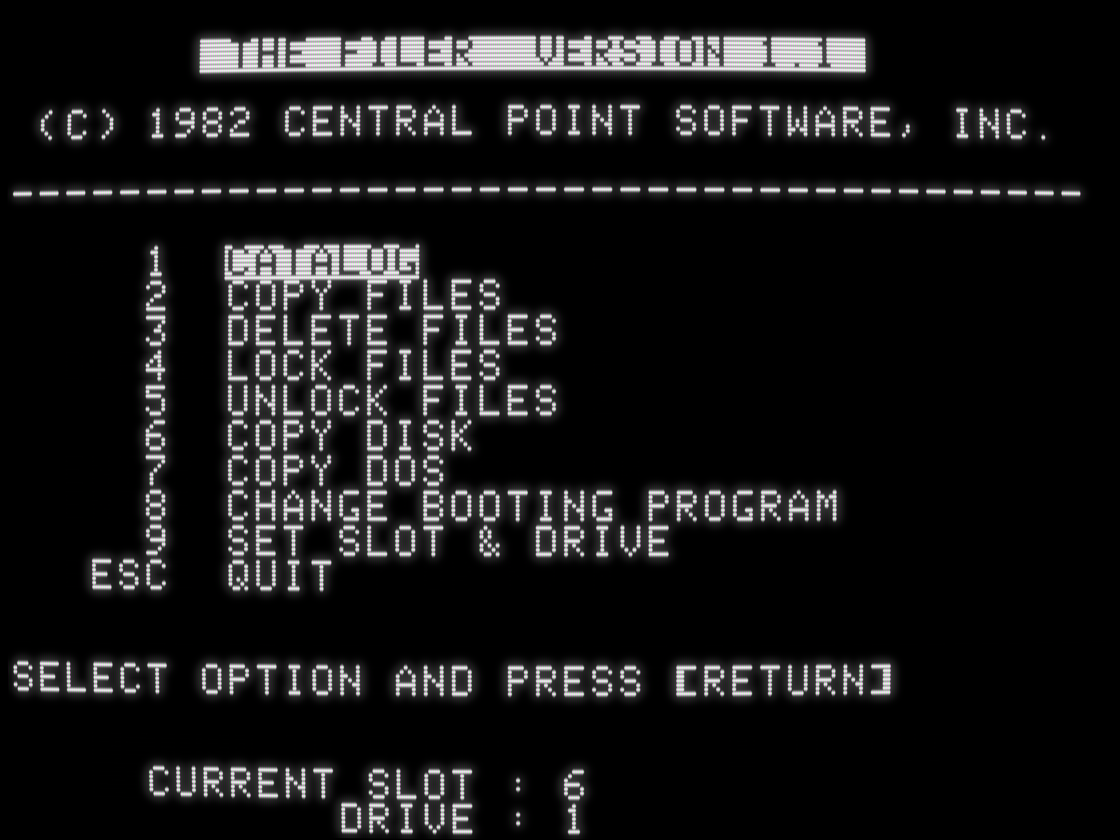
    Copy II Plus 3 was still only a bit copy program, but Central Point saw the market for a more general set of file and disk utilities for users to manage their own data files, back up their own data disks, and back up unprotected disks. Their first attempt was The Filer, with a menu of functions that will look familiar to people who know what comes next.

    screenshot of "The Filer Version 1.1" with main menu options Catalog, Copy Files, Delete Files, Lock Files, Unlock Files, Copy Disk, Copy DOS, Change Booting Program, and Set Slot/Drive
    💬 1🔄 1⭐ 7
  • Jun 26, 2026, 3:11 PM

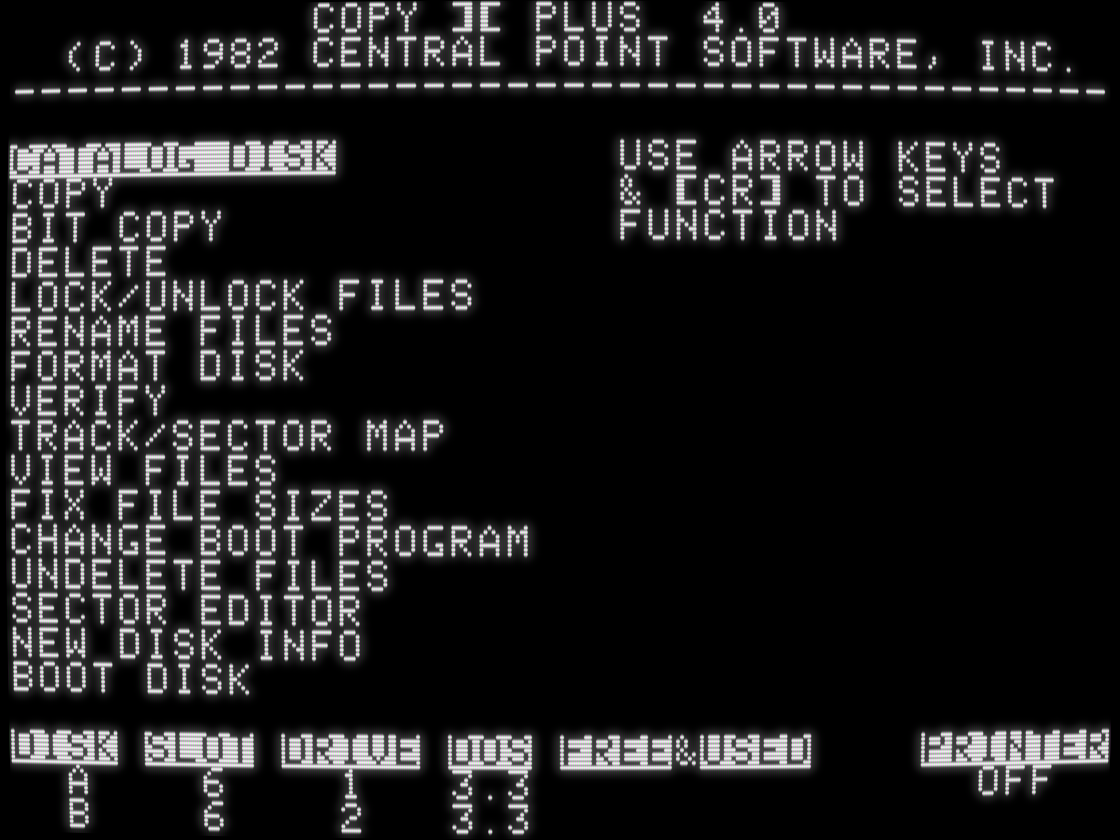
    What came next was version 4.0, which Computist magazine called "an excellent multi-function disk utility package, as well as a bit copy program." The bit copier was finally improved enough to be a serious contender. All functionality from The Filer was folded in, and it added power user features like Track/Sector Map, Undelete Files, and Sector Editor.

    It was wildly popular.

    screenshot of Copy II Plus 4.0, with main menu functions Catalog Disk, Copy, Bit Copy, Delete, Lock/Unlock Files, Rename Files, Format Disk, Verify, Track/Sector Map, View Files, Fix File Sizes, Change Boot Program, Undelete Files, Sector Editor, New Disk Info, and Boot Disk
    💬 1🔄 1⭐ 9
  • Jun 26, 2026, 3:15 PM

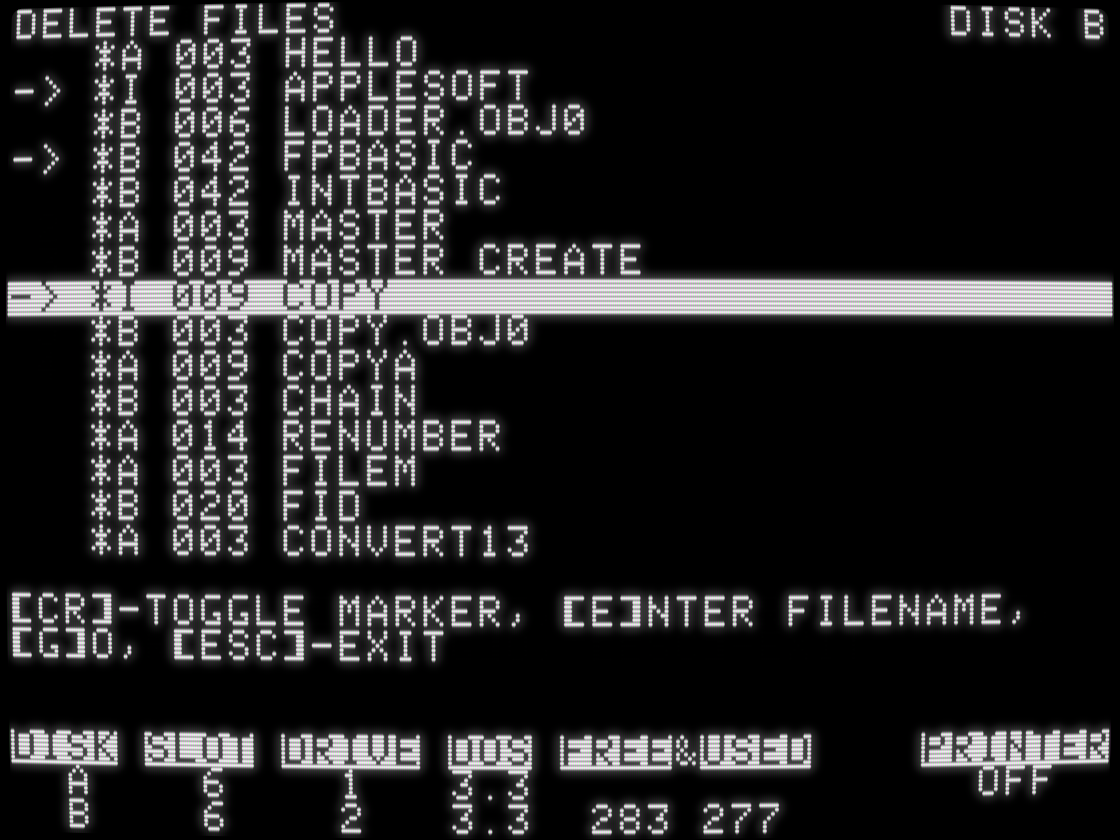
    Whereas most file utilities (including their own Filer) required you to type filenames, Copy II Plus 4 introduced an interactive catalog display that let you select multiple files on disk, then operate on all of them in one shot. (You could also enter filenames, including wildcard patterns!) This core UI design was reused by all functions.

    screenshot of "Delete Files" interface with disk catalog showing file types, sizes and names, with three files marked for deletion
    💬 1🔄 2⭐ 8
  • Jun 26, 2026, 3:18 PM

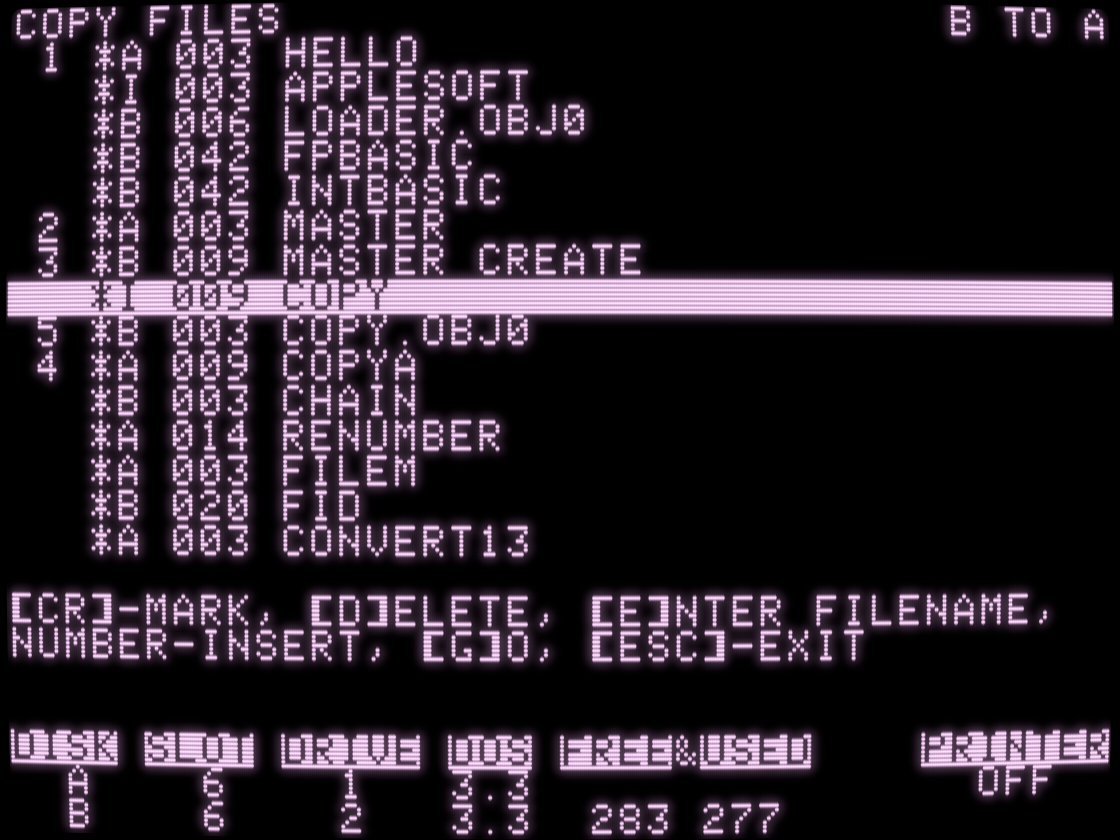
    In operations where order mattered, like Copy Files, you could even reorder the marked files. If you've ever cared about the order your files are stored on disk, it's time to schedule a colonoscopy.

    screenshot of "Copy Files" with list of file types, sizes, and names, with 5 files selected and notated in order
    💬 1🔄 4⭐ 27
  • Jun 26, 2026, 3:28 PM

    Three other important points about Copy II Plus 4, which are hard to see in screenshots:

    - it supported copying files between DOS 3.2 (13-sector) and DOS 3.3 (16-sector) disks, which was a messy transition that the Apple II world was still dealing with at the time
    - it ran in 48K
    - it copied an unprotected disk in 12 passes, which was a lot of disk swapping if you only had one disk drive. An unavoidable downside to having a lot of memory-resident code is there's less room for data.

    💬 1🔄 1⭐ 10
  • Jun 26, 2026, 3:57 PM

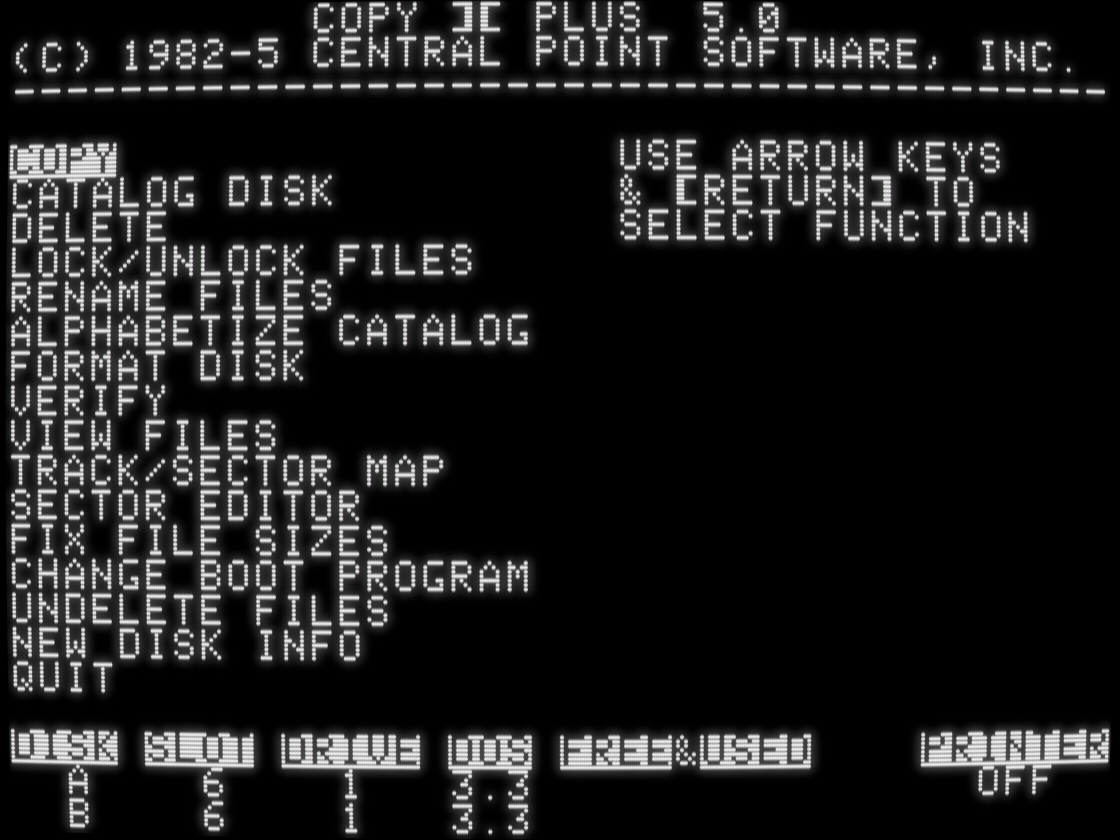
    Copy II Plus version 5 moved the bit copy launcher to a submenu of "Copy" to make room for a new Alphabetize Catalog function, and it added support for the up and down arrow keys -- keys introduced since version 4 (on the Apple //e in 1983).

    But the biggest change was invisible: it required 64K and moved almost all the program code into the upper 16K of memory in order to make room for disk copying buffers. It could now copy a disk in 5 passes instead of 12 -- or only 2 passes on a 128K //e.

    screenshot of "Copy II Plus 5.0" with main menu functions Copy, Catalog Disk, Delete, Lock/Unlock Files, Rename Files, Alphabetize Catalog, Format Disk, Verify, View Files, Track/Sector Map, Sector Editor, Fix File Sizes, Change Boot Program, Undelete Files, New Disk Info, and Quit
    💬 1🔄 2⭐ 8
  • Jun 26, 2026, 4:20 PM

    If you've never done any Apple II programming, let me briefly explain how the upper 16K of memory works. Only 12K is accessible at any one time, and only 8K of that is persistent. 4K is banked in or out and takes over the same memory addresses as the other 4K. Code in one bank can not call code in the other bank directly. Developers must manage all of this bank switching themselves and always be aware which 4K is banked in. It permeates every facet of the code.

    💬 1🔄 2⭐ 9
  • Jun 26, 2026, 4:23 PM

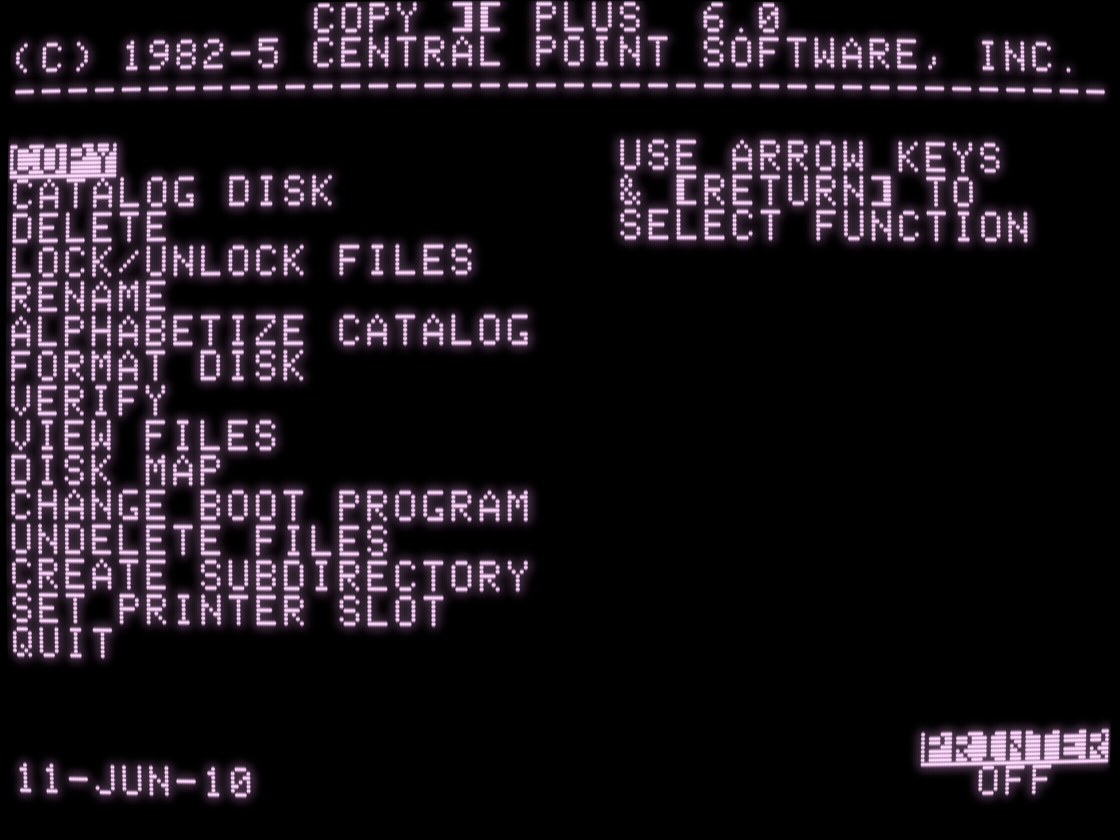
    Then Copy II Plus version 6 discarded all that, moved all the code back to main memory, and disk copy took 12 passes again. Because ProDOS.

    ProDOS lives in the upper 16K of memory and is not relocatable, and Copy II Plus was now a DOS+ProDOS file utility. All functions were updated to support ProDOS disks and ProDOS-specific features like subdirectories. DOS 3.2 support was dropped. Some advanced features like Sector Editor were shunted to the bit copy program; others were dropped entirely.

    screenshot of Copy II Plus 6.0 with main menu functions Copy, Catalog Disk, Delete, Lock/Unlock Files, Rename, Alphabetize Catalog, Format Disk, Verify, View Files, Disk Map, Change Boot Program, Undelete Files, Create Subdirectory, Set Printer Slot, and Quit
    💬 1🔄 1⭐ 7
  • 💬 1🔄 0⭐ 2
  • 💬 0🔄 0⭐ 2
  • 💬 1🔄 0⭐ 0
  • 💬 0🔄 0⭐ 1