Login
You're viewing the mstdn.social public feed.
  • Jun 26, 2026, 3:11 PM

    What came next was version 4.0, which Computist magazine called "an excellent multi-function disk utility package, as well as a bit copy program." The bit copier was finally improved enough to be a serious contender. All functionality from The Filer was folded in, and it added power user features like Track/Sector Map, Undelete Files, and Sector Editor.

    It was wildly popular.
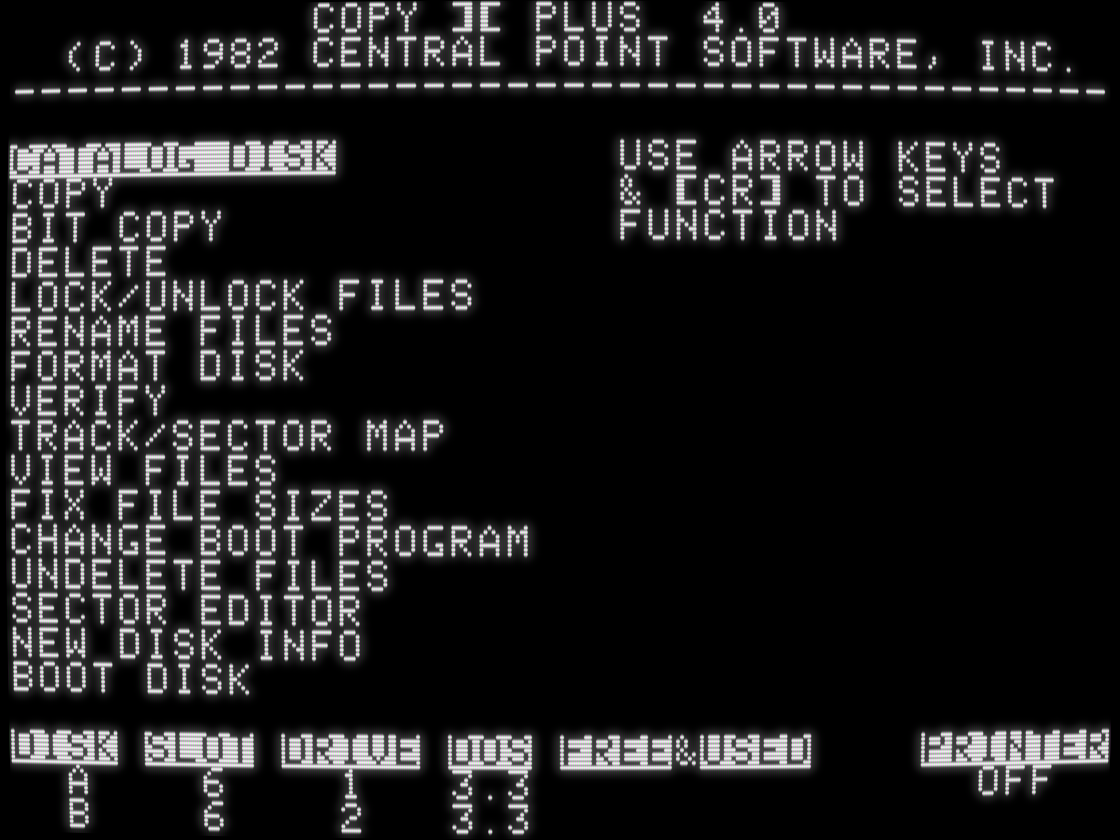
    screenshot of Copy II Plus 4.0, with main menu functions Catalog Disk, Copy, Bit Copy, Delete, Lock/Unlock Files, Rename Files, Format Disk, Verify, Track/Sector Map, View Files, Fix File Sizes, Change Boot Program, Undelete Files, Sector Editor, New Disk Info, and Boot Disk
    💬 1🔄 1⭐ 9

Replies

  • Jun 26, 2026, 3:15 PM

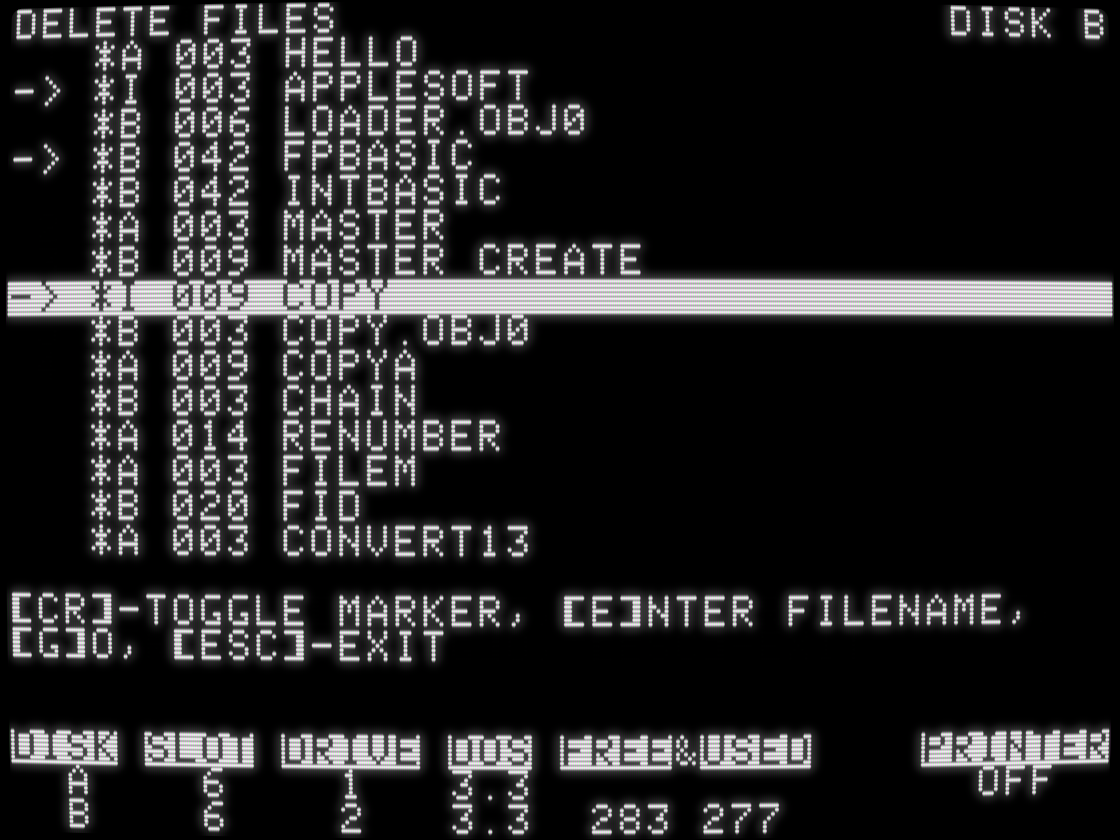
    Whereas most file utilities (including their own Filer) required you to type filenames, Copy II Plus 4 introduced an interactive catalog display that let you select multiple files on disk, then operate on all of them in one shot. (You could also enter filenames, including wildcard patterns!) This core UI design was reused by all functions.

    screenshot of "Delete Files" interface with disk catalog showing file types, sizes and names, with three files marked for deletion
    💬 1🔄 2⭐ 8
  • Jun 26, 2026, 3:18 PM

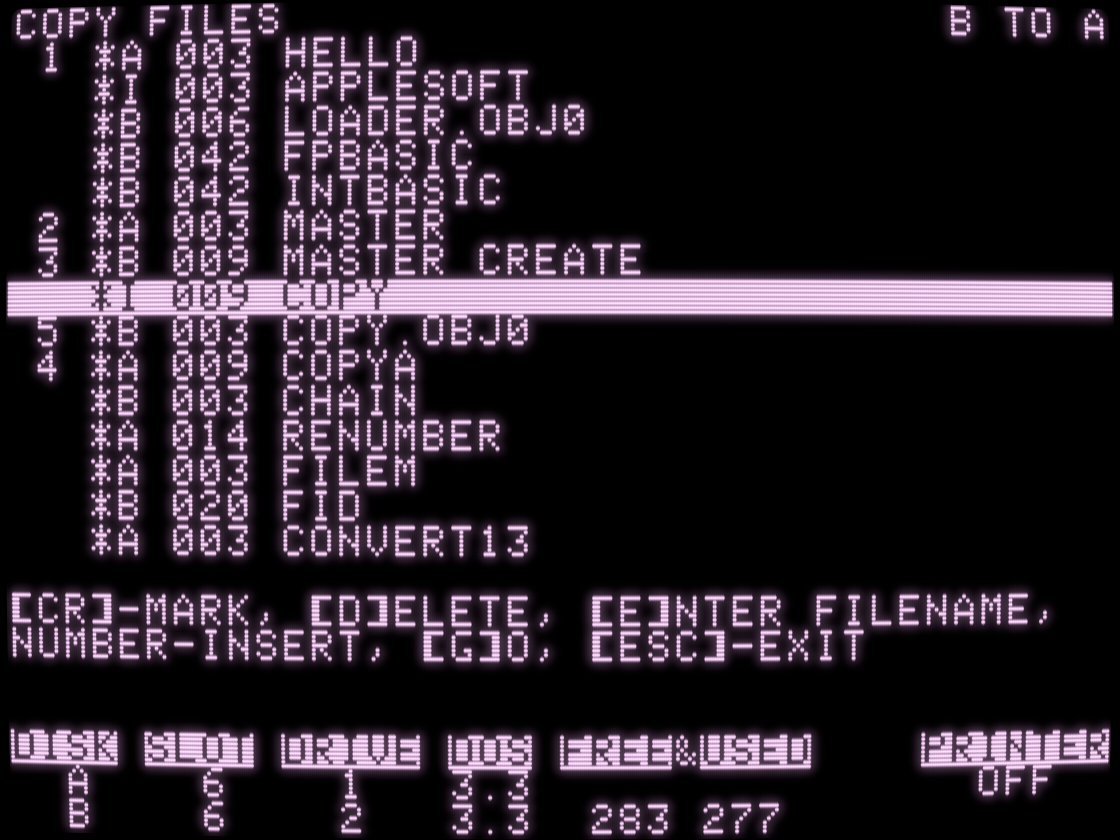
    In operations where order mattered, like Copy Files, you could even reorder the marked files. If you've ever cared about the order your files are stored on disk, it's time to schedule a colonoscopy.

    screenshot of "Copy Files" with list of file types, sizes, and names, with 5 files selected and notated in order
    💬 1🔄 4⭐ 27
  • Jun 26, 2026, 3:28 PM

    Three other important points about Copy II Plus 4, which are hard to see in screenshots:

    - it supported copying files between DOS 3.2 (13-sector) and DOS 3.3 (16-sector) disks, which was a messy transition that the Apple II world was still dealing with at the time
    - it ran in 48K
    - it copied an unprotected disk in 12 passes, which was a lot of disk swapping if you only had one disk drive. An unavoidable downside to having a lot of memory-resident code is there's less room for data.

    💬 1🔄 1⭐ 10
  • Jun 26, 2026, 3:57 PM

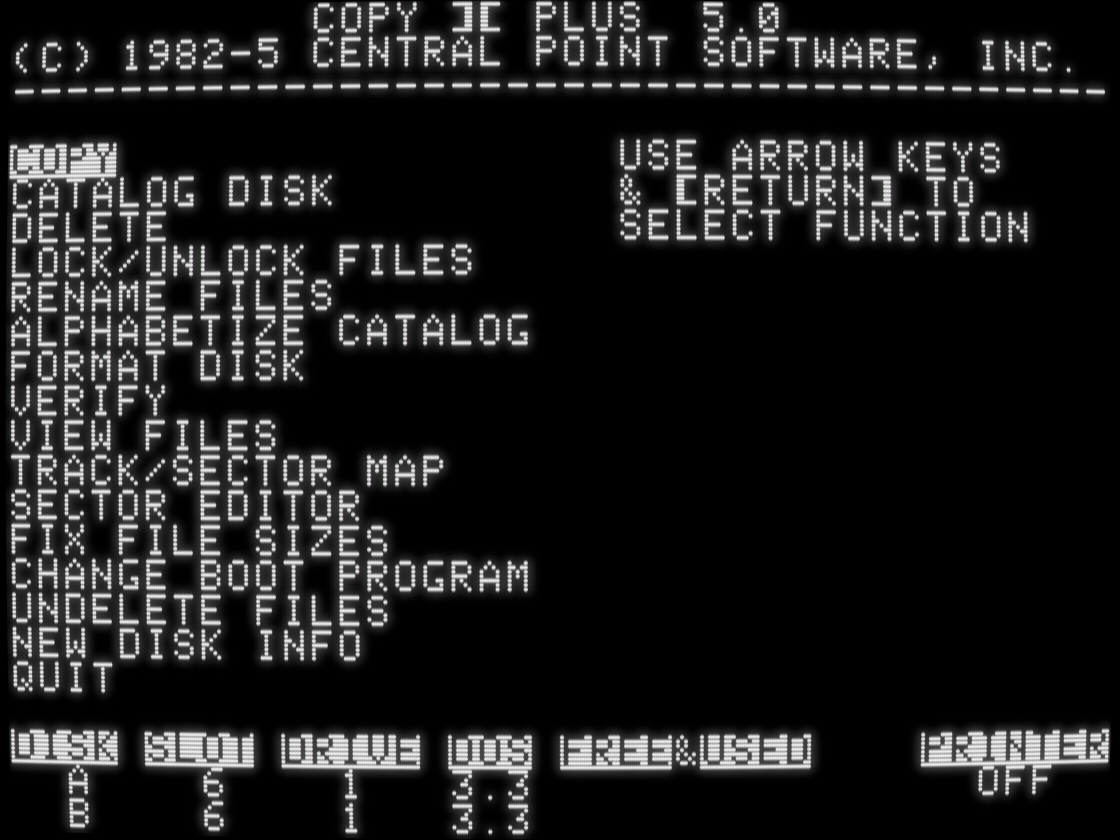
    Copy II Plus version 5 moved the bit copy launcher to a submenu of "Copy" to make room for a new Alphabetize Catalog function, and it added support for the up and down arrow keys -- keys introduced since version 4 (on the Apple //e in 1983).

    But the biggest change was invisible: it required 64K and moved almost all the program code into the upper 16K of memory in order to make room for disk copying buffers. It could now copy a disk in 5 passes instead of 12 -- or only 2 passes on a 128K //e.

    screenshot of "Copy II Plus 5.0" with main menu functions Copy, Catalog Disk, Delete, Lock/Unlock Files, Rename Files, Alphabetize Catalog, Format Disk, Verify, View Files, Track/Sector Map, Sector Editor, Fix File Sizes, Change Boot Program, Undelete Files, New Disk Info, and Quit
    💬 1🔄 2⭐ 8
  • Jun 26, 2026, 4:20 PM

    If you've never done any Apple II programming, let me briefly explain how the upper 16K of memory works. Only 12K is accessible at any one time, and only 8K of that is persistent. 4K is banked in or out and takes over the same memory addresses as the other 4K. Code in one bank can not call code in the other bank directly. Developers must manage all of this bank switching themselves and always be aware which 4K is banked in. It permeates every facet of the code.

    💬 1🔄 2⭐ 9
  • Jun 26, 2026, 4:23 PM

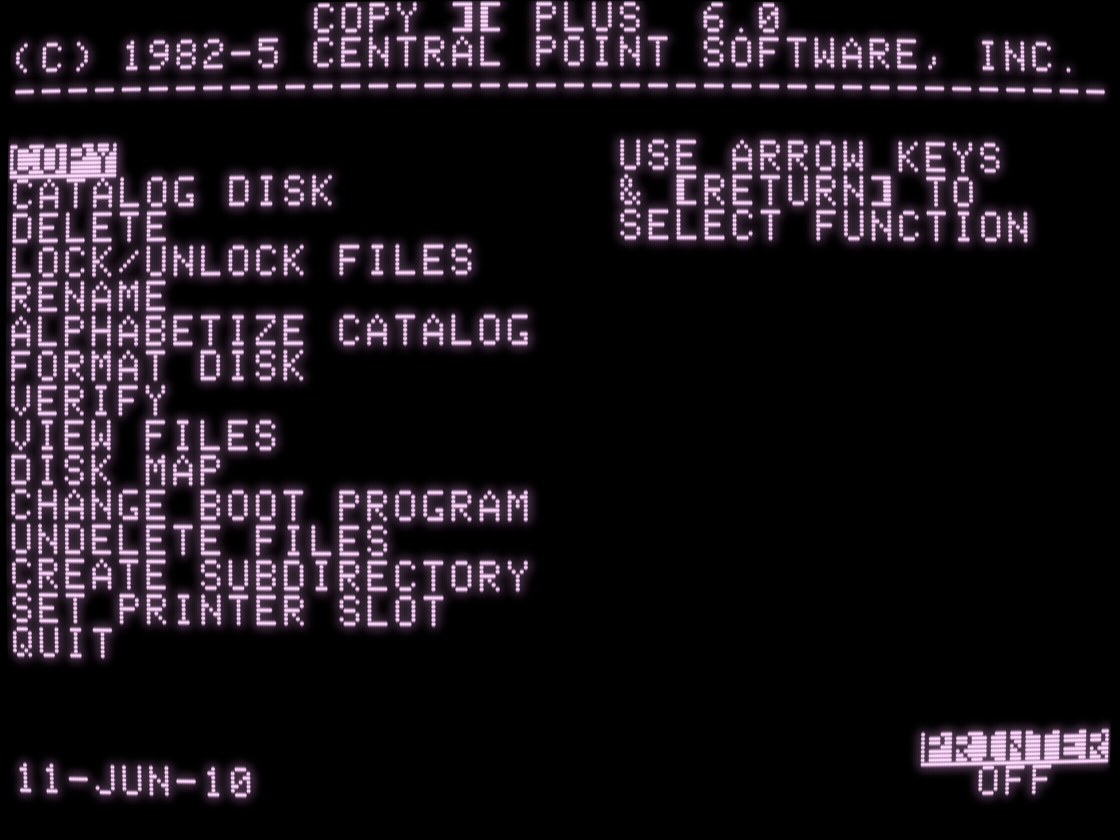
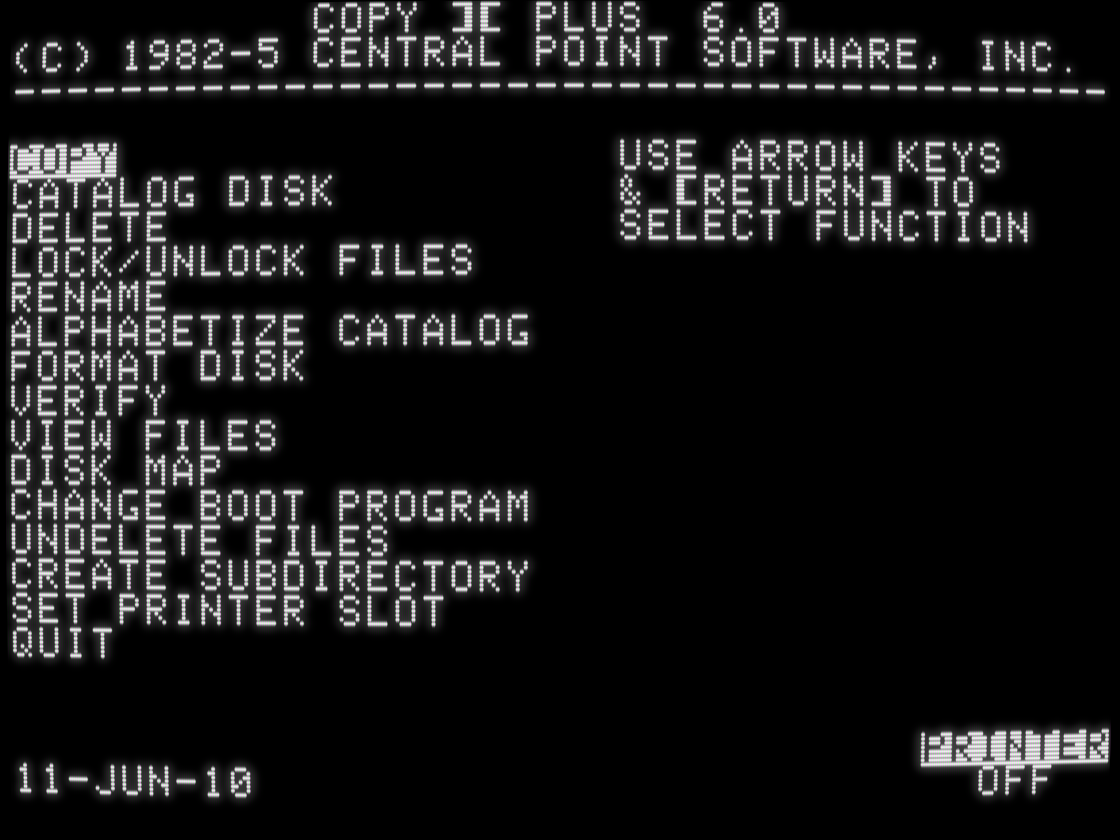
    Then Copy II Plus version 6 discarded all that, moved all the code back to main memory, and disk copy took 12 passes again. Because ProDOS.

    ProDOS lives in the upper 16K of memory and is not relocatable, and Copy II Plus was now a DOS+ProDOS file utility. All functions were updated to support ProDOS disks and ProDOS-specific features like subdirectories. DOS 3.2 support was dropped. Some advanced features like Sector Editor were shunted to the bit copy program; others were dropped entirely.

    screenshot of Copy II Plus 6.0 with main menu functions Copy, Catalog Disk, Delete, Lock/Unlock Files, Rename, Alphabetize Catalog, Format Disk, Verify, View Files, Disk Map, Change Boot Program, Undelete Files, Create Subdirectory, Set Printer Slot, and Quit
    💬 1🔄 1⭐ 7
  • Jun 26, 2026, 4:27 PM

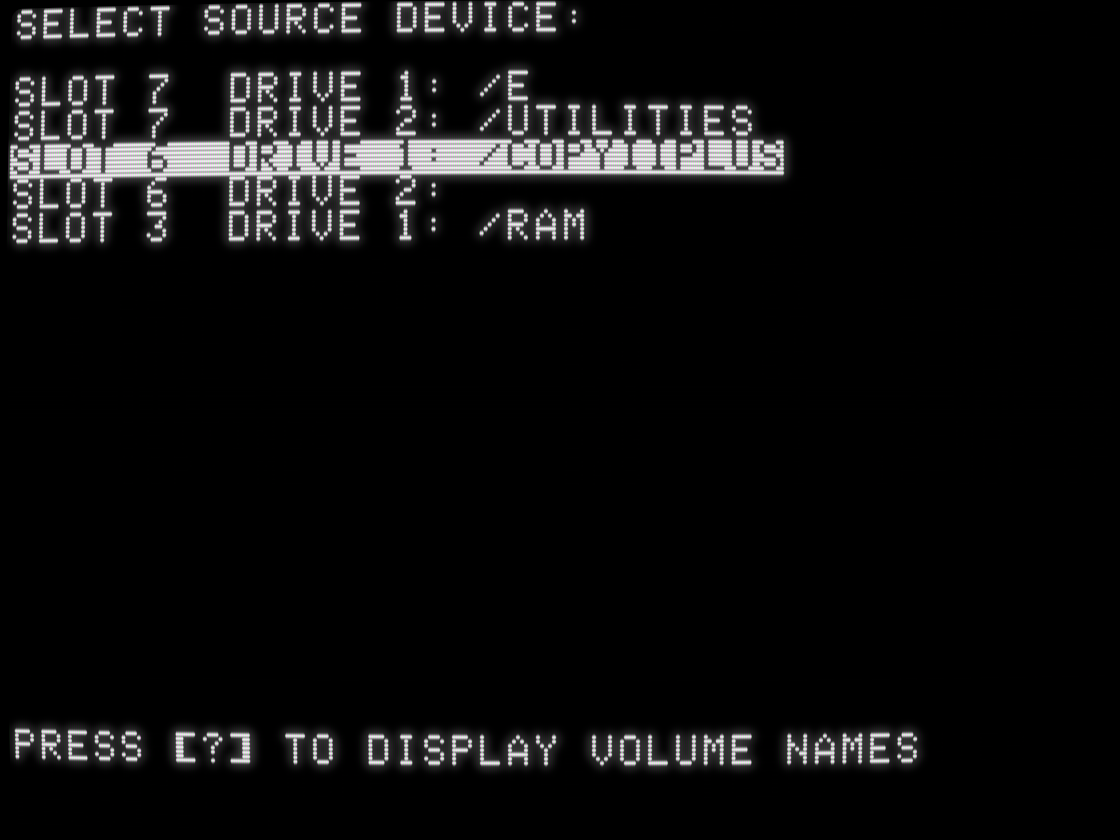
    Instead of a global "disk A / disk B" slot/drive configuration, every function now prompted for the device(s) you wanted to use. These could be traditional 5.25-inch floppy disks but also 3.5-inch disks, hard drives, even RAM drives.

    screenshot of "Select Source Device:

Slot 7 Drive 1: /E
Slot 7 Drive 2: /UTILITIES
Slot 6 Drive 1: /COPYIIPLUS
Slot 6 Drive 2:
Slot 3 Drive 1: /RAM
    💬 1🔄 1⭐ 6
  • Jun 26, 2026, 4:32 PM

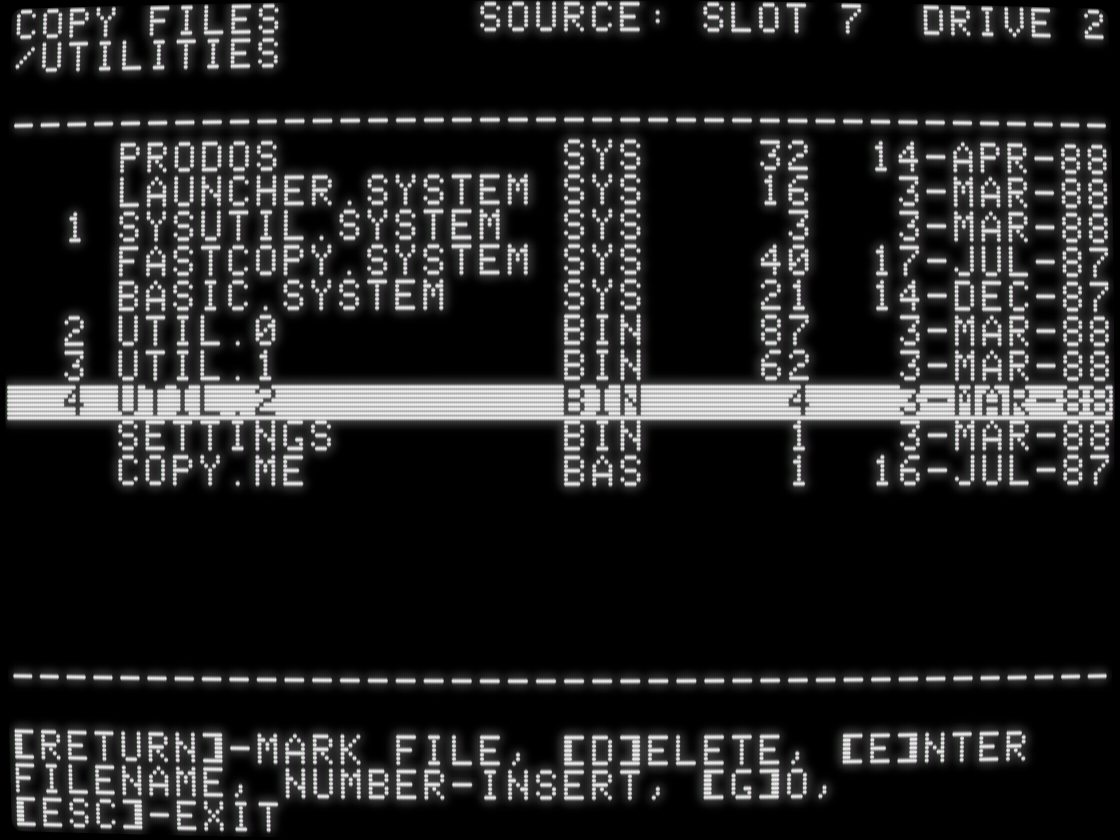
    The interactive catalog display was updated with ProDOS-specific file types and per-file modification dates. DOS 3.3 did not have the concept of file dates, and most Apple II models had no concept of time unless you installed a third-party clock card. If you didn't have a clock card installed, Copy II Plus prompted you for the current date on startup.

    screenshot of "Copy Files" source: slot 7, drive 2
/UTILITIES

with list of file names, types, sizes, and dates
    💬 1🔄 1⭐ 8
  • Jun 26, 2026, 4:43 PM

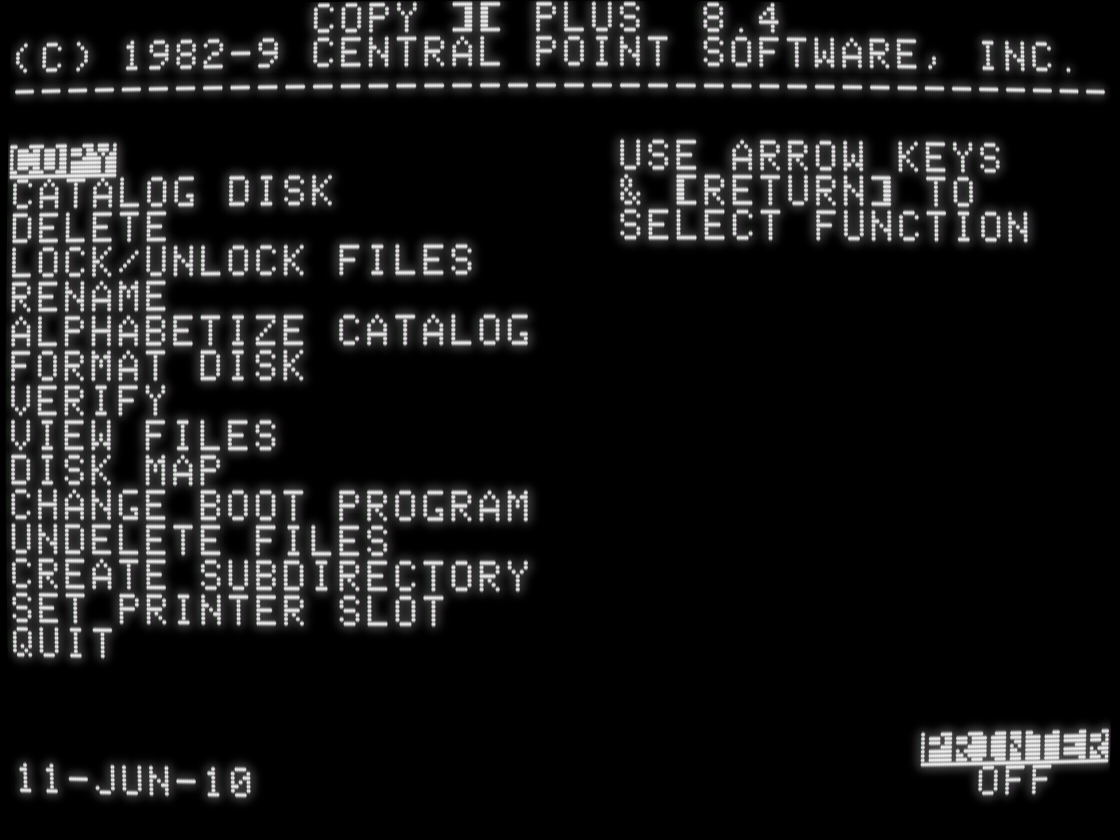
    Four years later, Copy II Plus 8.4 looked... very familiar. On the outside.

    screenshot of Copy II Plus 6.0 with main menu functions Copy, Catalog Disk, Delete, Lock/Unlock Files, Rename, Alphabetize Catalog, Format Disk, Verify, View Files, Disk Map, Change Boot Program, Undelete Files, Create Subdirectory, Set Printer Slot, and Quit
    screenshot of Copy II Plus 8.4 with main menu functions Copy, Catalog Disk, Delete, Lock/Unlock Files, Rename, Alphabetize Catalog, Format Disk, Verify, View Files, Disk Map, Change Boot Program, Undelete Files, Create Subdirectory, Set Printer Slot, and Quit
    💬 1🔄 1⭐ 7
  • Jun 26, 2026, 4:49 PM

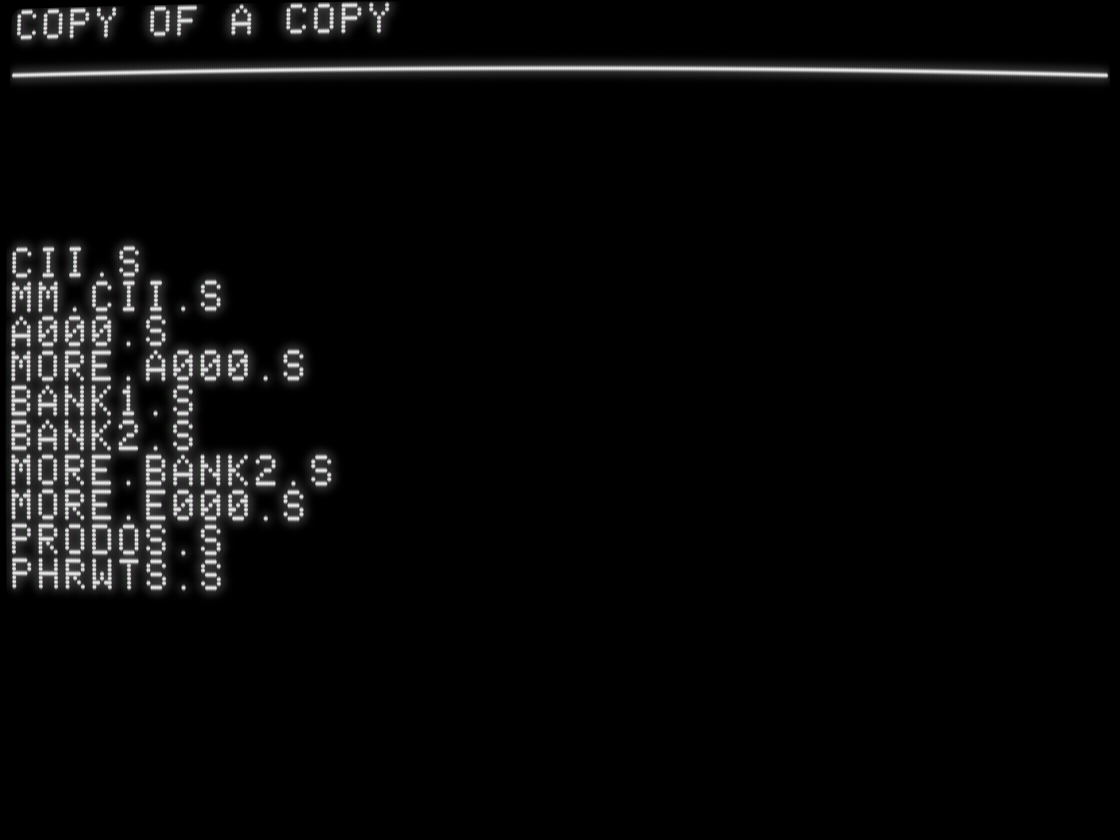
    On the inside, Copy II Plus 8.4 looked like this: source code files named after where their assembled binary code lived in memory ... in version 5, four years and three major versions ago. New features got put in their own files, like PRODOS (support introduced in version 6) and MM.CII (memory manager introduced in version 8).

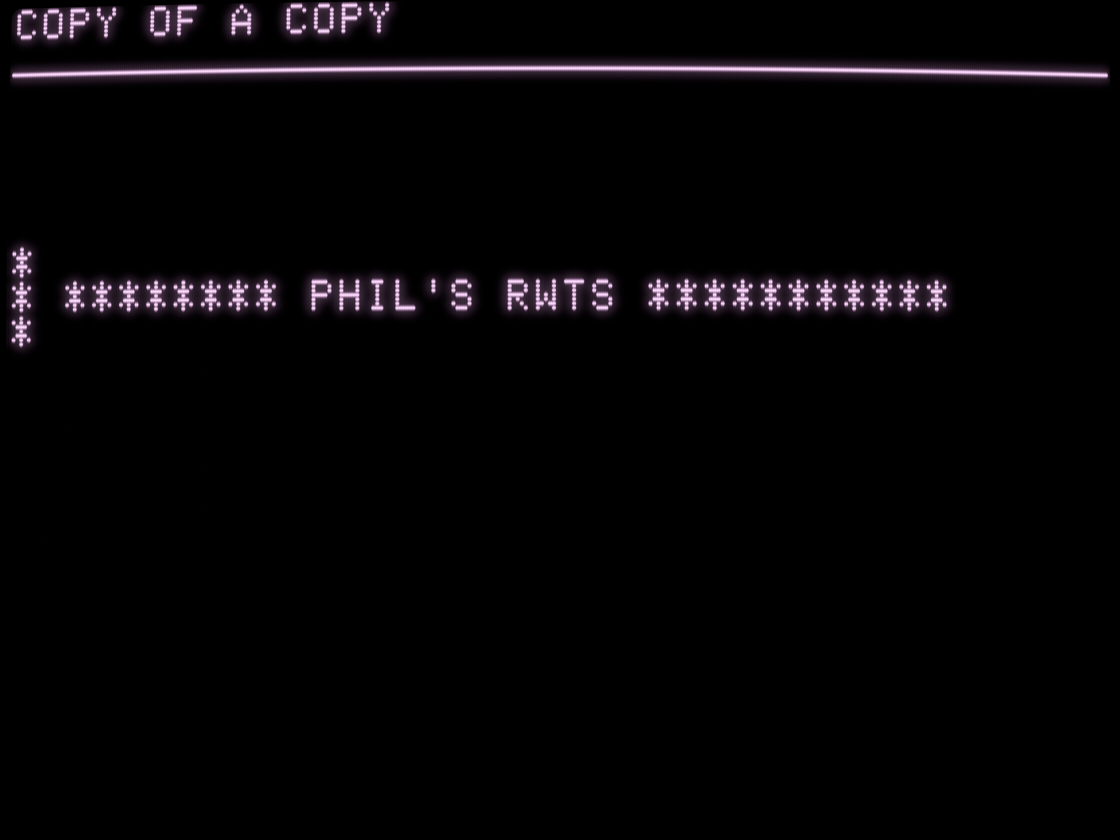
    And PHRWTS. What's PHRWTS? "RWTS" stands for "read/write track/sector," a common acronym for low-level disk code. But what's PHRWTS?

    screenshot of list of filenames

CII.S
MM.CII.S
A000.S
MORE.A000.S
BANK1.S
BANK2.S
MORE.BANK2.S
MORE.E000.S
PRODOS.S
PHRWTS.S
    💬 1🔄 1⭐ 8
  • 💬 1🔄 1⭐ 12
  • Jun 26, 2026, 4:59 PM

    And then it died. (There was a version 9, but you should never use it; it was a complete rewrite and has data corruption bugs. Not fixed in 9.1.) The source code was lost; the company was sold. Users moved to new platforms. Time marches on.

    And yet, here we are, still talking about these old computers, still running these old programs, even occasionally still creating new programs with new data in new files.

    What would Copy II Plus 2026 look like?

    What would Copy II Plus 2026 look like?
    💬 2🔄 1⭐ 9
  • Jun 26, 2026, 5:12 PM

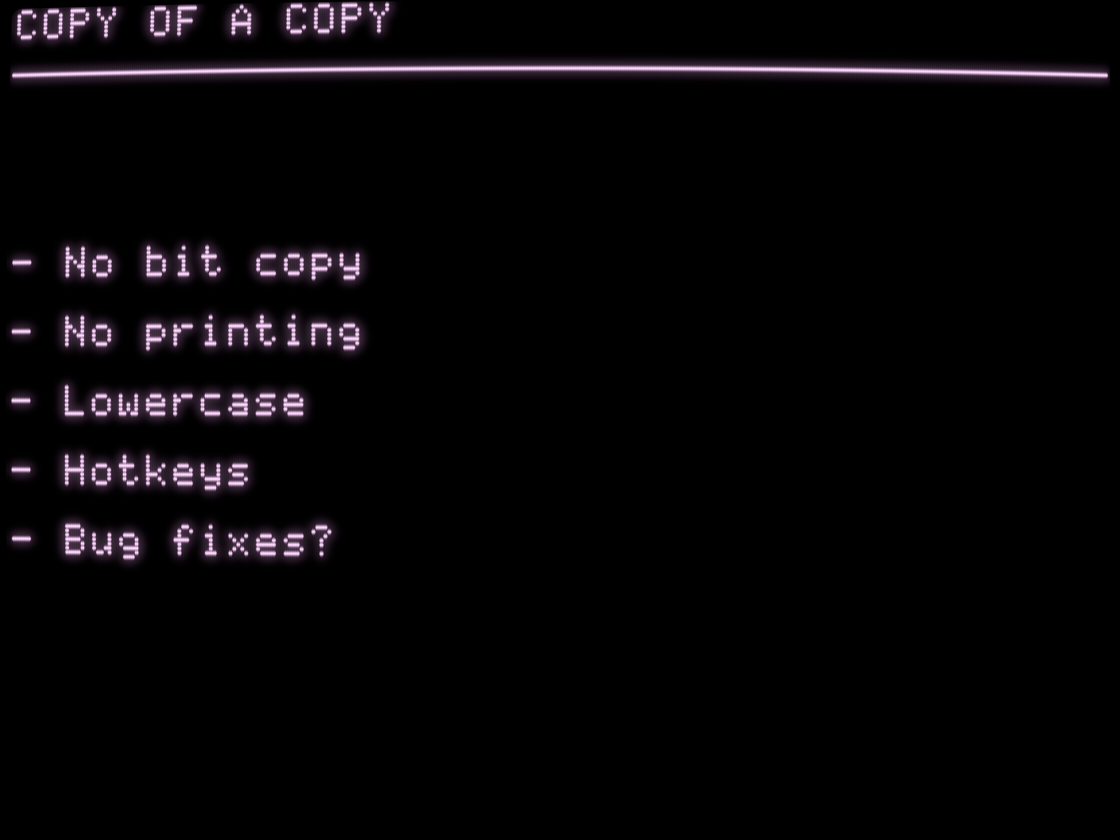
    This is what I came up with: first, drop the bit copy. No one is making protected backups of physical media anymore; we have superior modern alternatives.

    Second, drop the printer support. No one is printing out their disk catalog and taping it to the sleeve of their floppy disk anymore. Printers are for Print Shop. 😀

    The rest are just quality-of-life improvements, mostly backported from version 9 (which you should never use).

    - No bit copy

- No printing

- Lowercase

- Hotkeys

- Bug fixes?
    💬 1🔄 1⭐ 8
  • 💬 1🔄 3⭐ 21
  • Jun 26, 2026, 5:21 PM

    - Catalog displays and file lists recognize 23 more filetypes, mostly IIgs-related.
    - Directory trees and "Catalog w/File Lengths" always use 80 columns if available. Other "Catalog Disk" options always use 40 columns.
    - "Change Boot Program" supports Pronto-DOS in addition to Apple DOS 3.3.
    - During "Copy Files" file selection, "Delete" has been renamed to "Unmark", and the hotkey [D] has been changed to [U]. Pressing [D] still works.
    - "Quit" uses the same sub-menu interface as other options.

    💬 1🔄 2⭐ 8
  • Jun 26, 2026, 5:26 PM

    What about bug fixes? I did find a few minor bugs, and then there's this: if you catalog a 32MB device, all 5.25-inch floppy disk operations stop working.

    [I had a live demo set up to demonstrate this.]

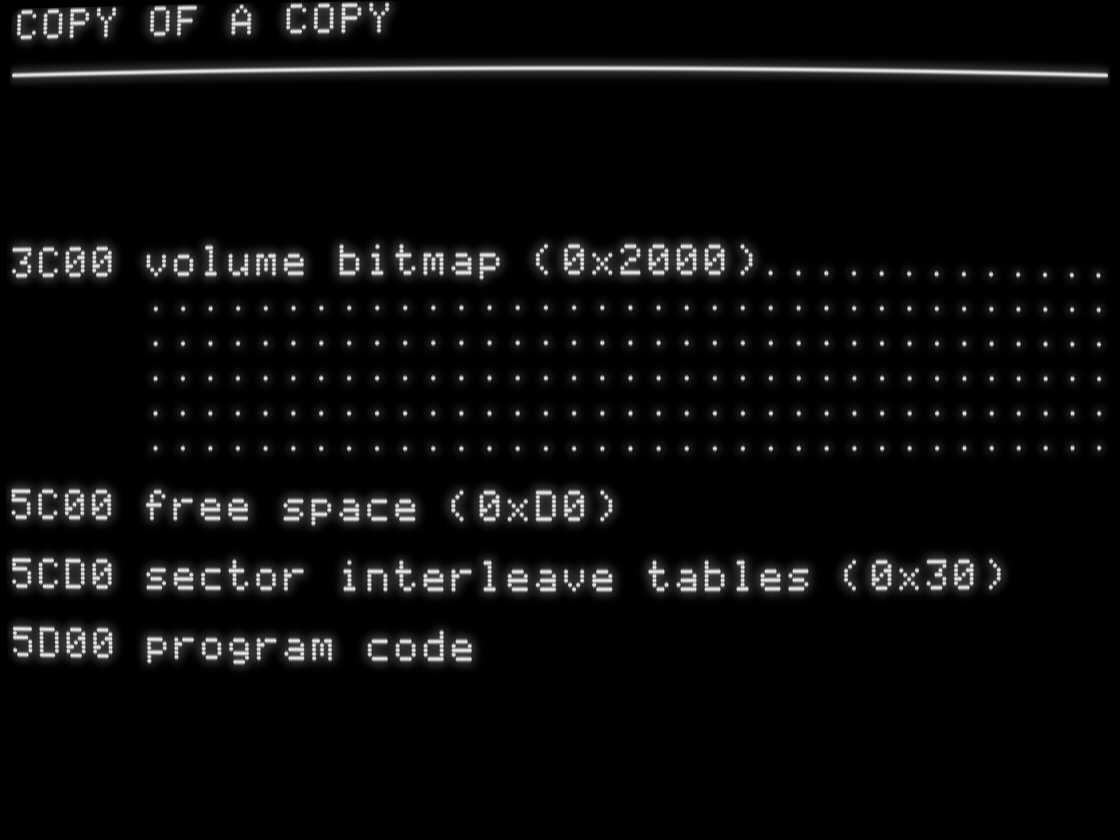
    Here's why: to calculate free space, Copy II Plus reads the entire volume bitmap into memory. This is a variable length buffer, based on disk size. A 32 MB hard drive uses 0x2000 bytes.

    3C00 volume bitmap (0x2000).............
     ...................................
     ...................................
     ...................................
     ...................................
     ...................................

5C00 free space (0xD0)

5CD0 sector interleave tables (0x30)

5D00 program code
    💬 1🔄 2⭐ 6
  • Jun 26, 2026, 5:28 PM

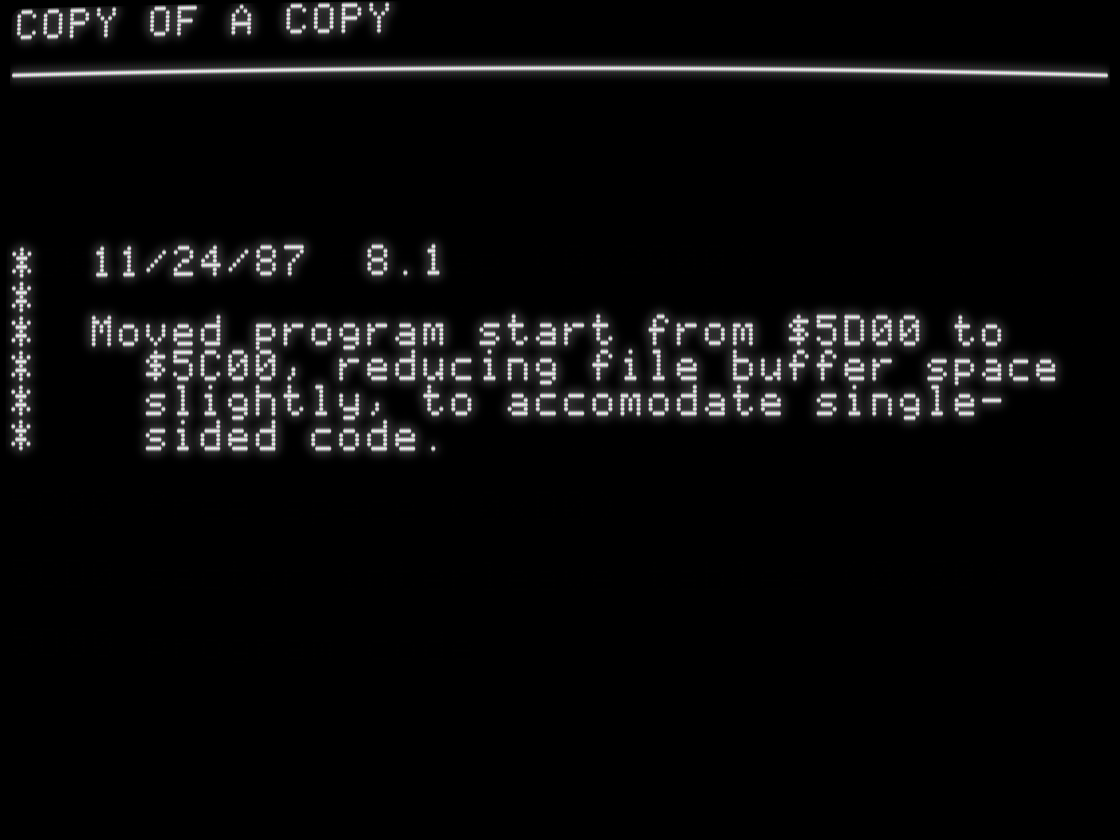
    In version 8.1, they moved the start of program code down 0x100 bytes to make room for some new features. The source code archive includes a developer-oriented internal changelog back to version 7.3, and it includes a note about this.

    *  11/24/87  8.1
*
*  Moved program start from $5D00 to
*    $5C00, reducing file buffer space
*    slightly, to accomodate single-
*    sided code.
    💬 1🔄 1⭐ 5
  • Jun 26, 2026, 5:30 PM

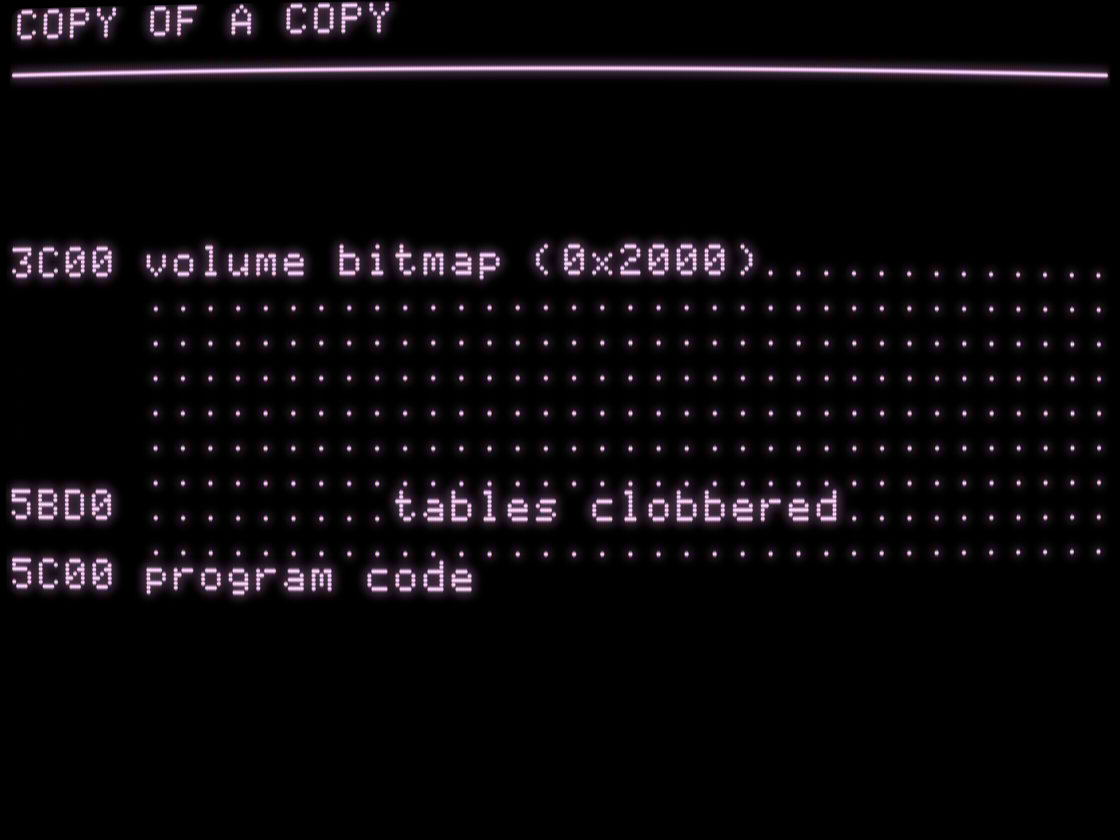
    Unfortunately, some addresses in Copy II Plus start at $0800 and are defined as positive byte offsets, and others start at CODEADR (start of program code) and are defined as negative byte offsets. When they moved CODEADR down, they didn't realize that these two could now collide and clobber persistent data tables used by virtually all 5.25-inch floppy disk operations.

    3C00 volume bitmap (0x2000).............
     ...................................
     ...................................
     ...................................
     ...................................
     ...................................
     ...................................
5BD0 .........tables clobbered..........
     ...................................
5C00 program code
    💬 1🔄 1⭐ 9
  • Jun 26, 2026, 5:33 PM

    Underneath the bug fixes and user-visible improvements, I ended up refactoring the entire Copy II Plus source code to reorganize it into modules which I could assemble separately, store compressed on disk, and decompress lazily at runtime. This lays the foundations for adding or backporting more features in the future, if mutually exclusive modules can be decompressed into a single area of memory then discarded. But I didn't get that far.

    💬 1🔄 1⭐ 11
  • Jun 26, 2026, 5:38 PM

    Large-scale refactoring like this has the potential to break things, so I wrote 200 end-to-end tests. They exercise all the major functions and options across Copy II Reboot and ensure that it behaves exactly like version 8.4 except for known bug fixes.

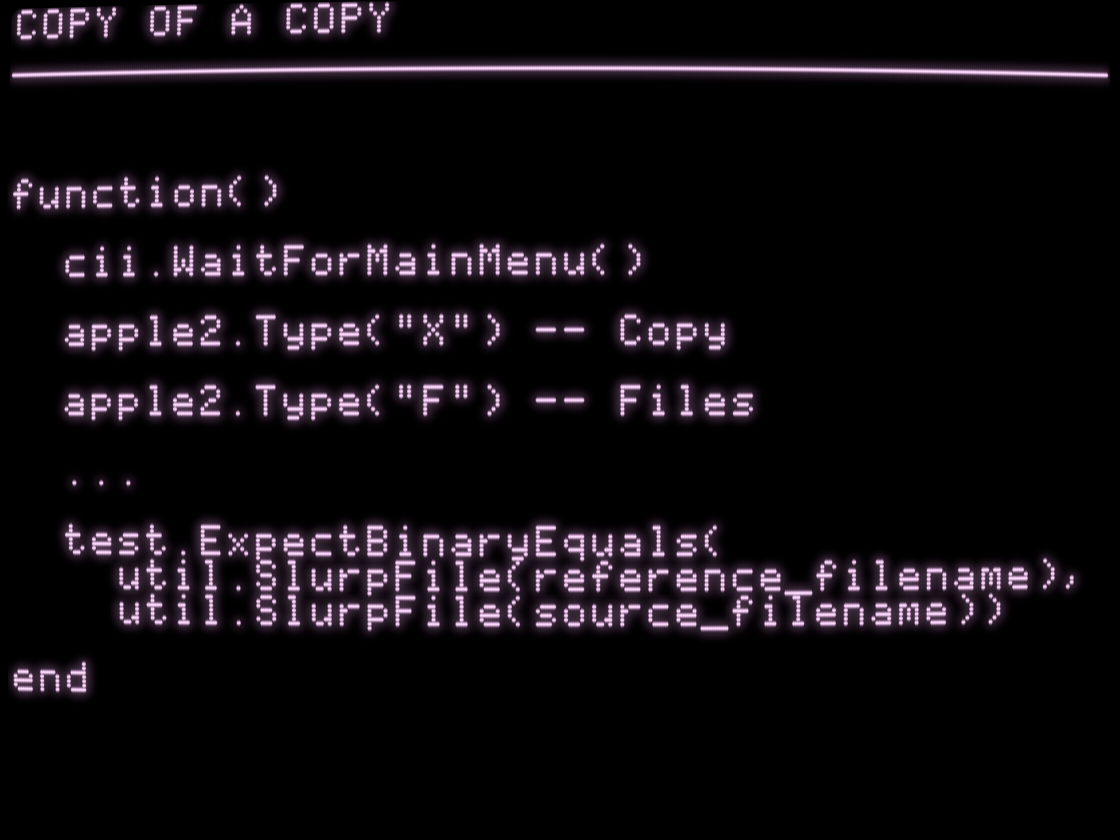
    Tests are written in Lua and executed by MAME, in a test harness first developed by Joshua Bell for the Apple II Desktop project. They look like this:

    github.com/a2-4am/cii/tree/mai

    function()

  cii.WaitForMainMenu()

  apple2.Type("X") -- Copy

  apple2.Type("F") -- Files

  ...

  test.ExpectBinaryEquals(
    util.SlurpFile(reference_filename),
    util.SlurpFile(source_filename))

end
    💬 1🔄 4⭐ 19
  • Jun 26, 2026, 5:05 PM

    @a2_4am great read! I worked at Central Point on their Mac products (DiskFix and some of Optimizer), pretty sure the Apple || stuff was in the rear view by then…

    💬 0🔄 0⭐ 2