Login
You're viewing the discuss.systems public feed.
  • Oct 22, 2026, 2:28 PM

    @freebliss I use theater mode on youtube, so I can describe what I expect if that helps.

    Viewing area should be as wide as the browser window, with a black background.
    Video should be centered and as wide as possible without cropping. Put another way, it should fill the height of the viewing area and retain its aspect ratio.
    If I size the window down vertically, it’s OK for black bars to fill the sides of the viewing area. That’s better than clutter.

    I’ll share why in a second. 1/2
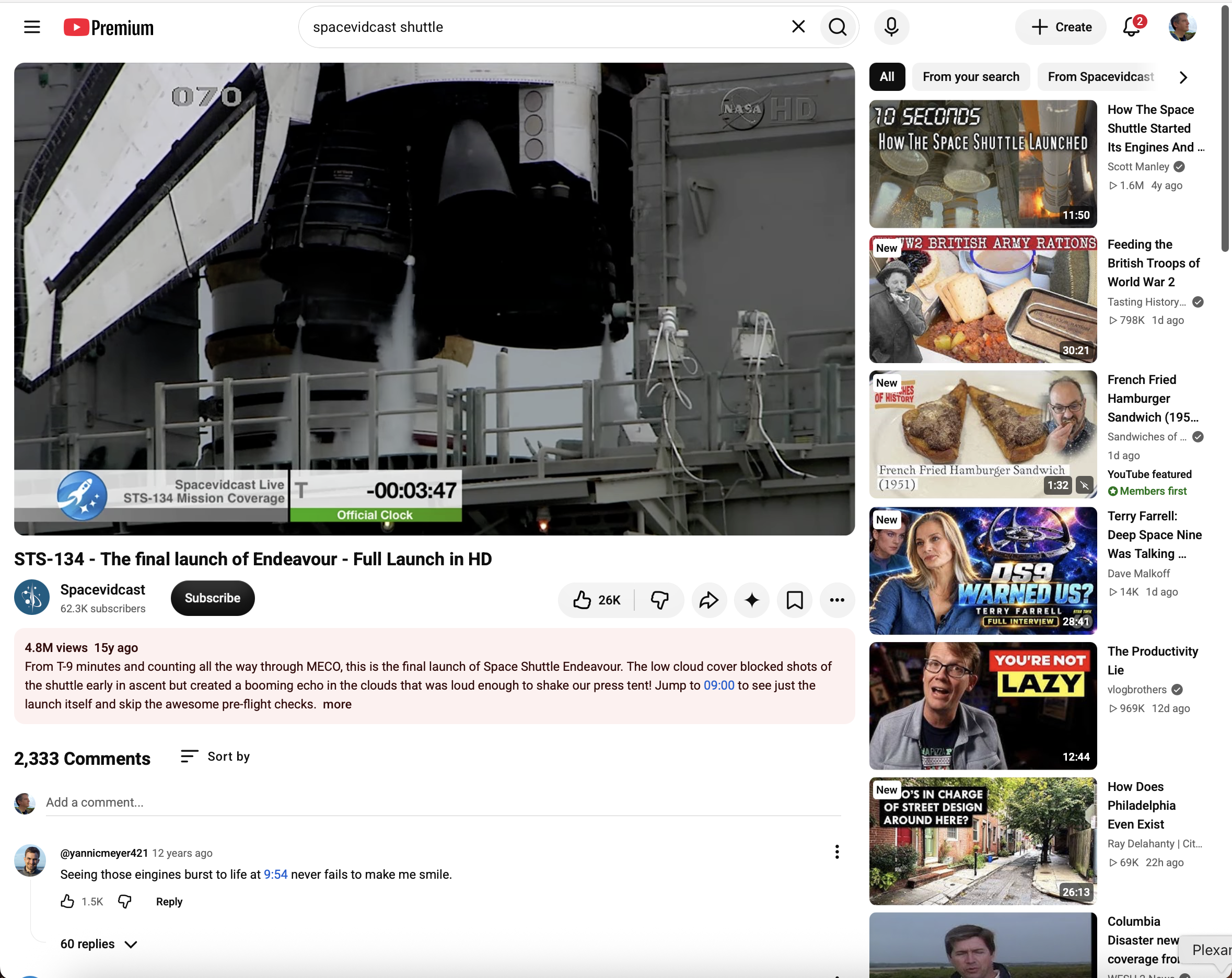
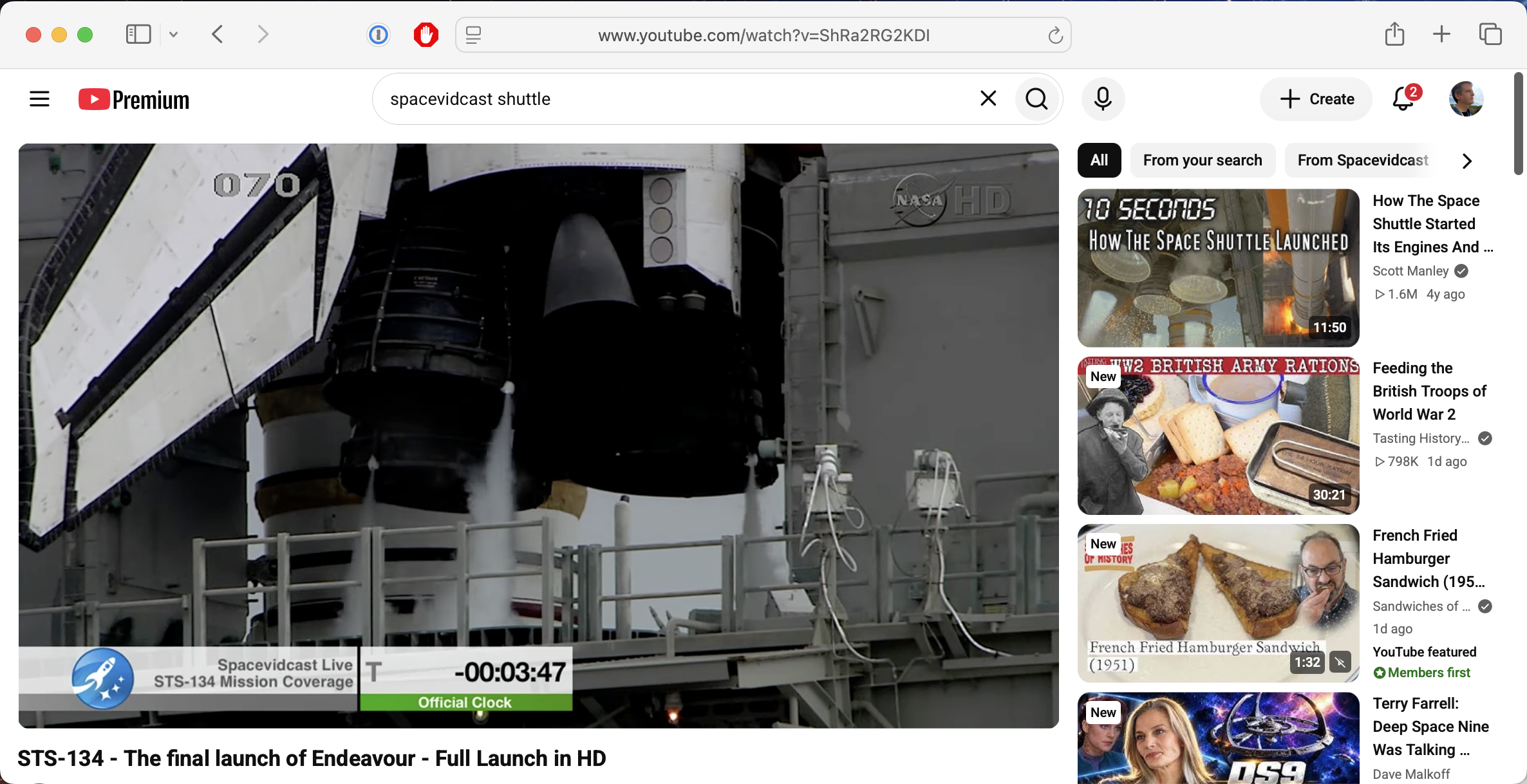
    A youtube browser window in standard mode. The video (of a Space Shuttle launch) is in about a third of the available space.
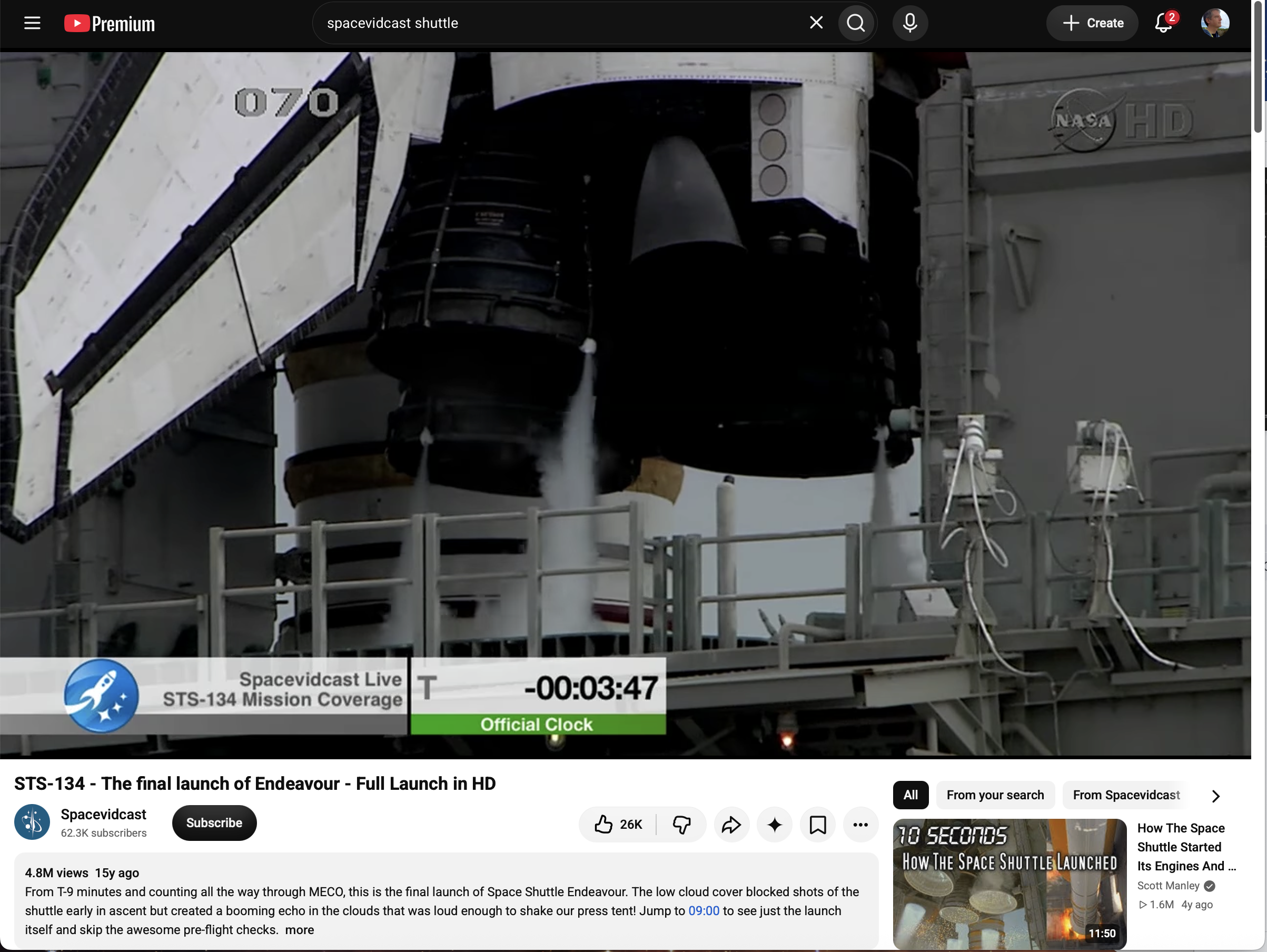
    A youtube browser window in standard mode, narrowed vertically. The video (of a Space Shuttle launch) is in about two-thirds of the available space, and the rest is taken up by ads for other videos.
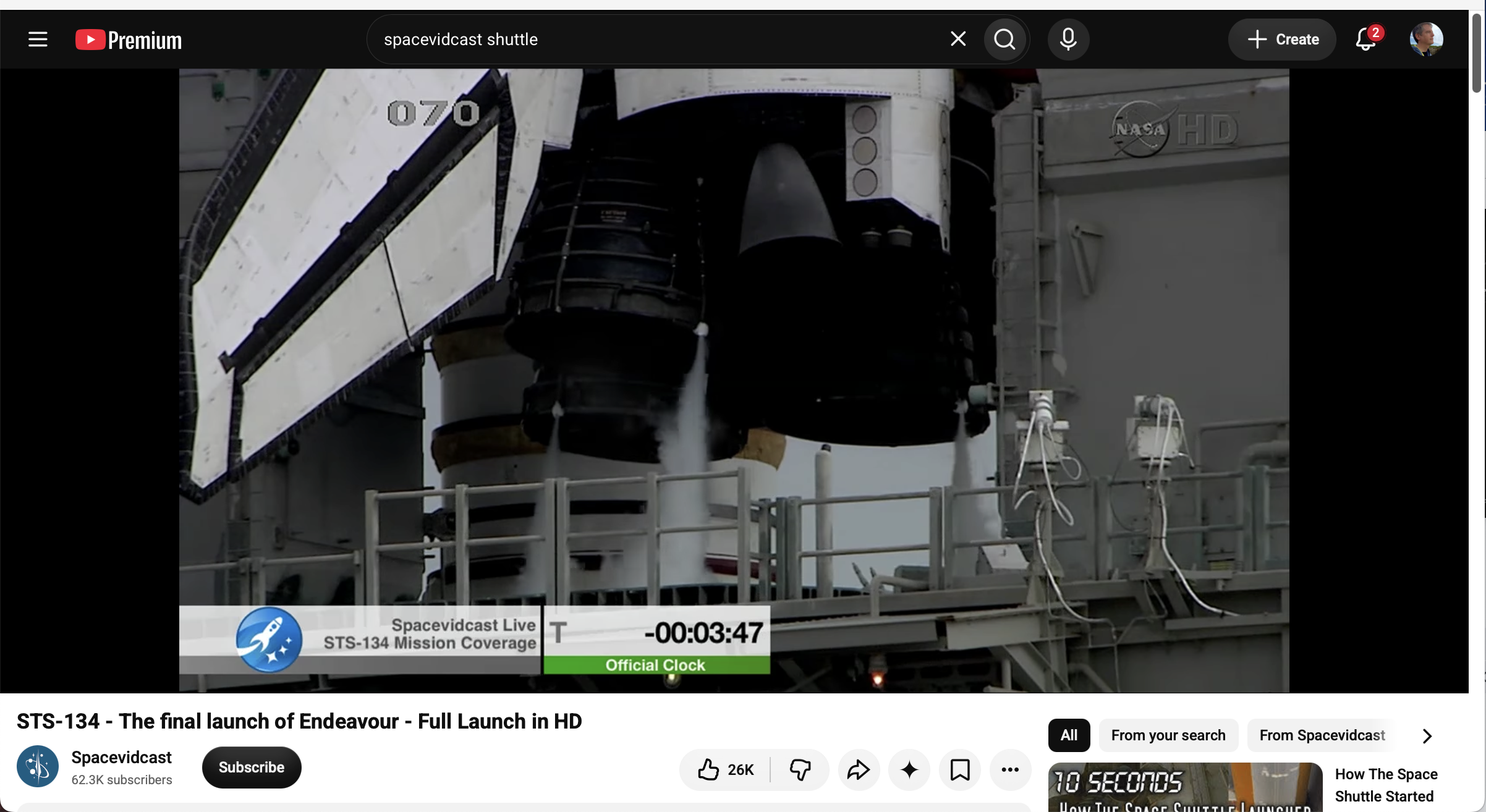
    A youtube browser window in theater mode. The video (of a Space Shuttle launch) is in about 4/5 of the available space and covers the full width of the window.
    A youtube browser window in theater mode, narrowed vertically. The video (of a Space Shuttle launch) is in about four-fifths of the available space. Black bars are on either side of the video.
    💬 1🔄 0⭐ 0

Replies

  • 💬 0🔄 0⭐ 0
  • Oct 22, 2026, 3:48 PM

    @himysyed Cool thanks for the insight! Similarly to what I asked Chris, would you prefer if in theatre mode, in addition to the video being as large as possible, the rest of the interface elements were hidden, so that you could focus on and only see the video itself (and potentially black bars above/below or left/right if needed)?

    💬 1🔄 0⭐ 0
  • Oct 22, 2026, 4:02 PM

    @freebliss@post.lurk.org Yes.

    Because the reason I intentionally "choose" Theatre Mode is because I do not "trust" full screen mode to be showing me "everything".

    Whenever I see black bars, be they below or beside the video surface area, I know nothing is being cropped, like it 'might be' when simply going full screen.

    A secondary muscle memory behaviour of mine is to toggle Theatre Mode to get rid of the distracting right side vertical youtube recommendation / advertising-promoted thumbnails of videos.

    They distract me and bisect my attention.

    My muscle memory is to then toggle "Theatre Mode" and full screen mode to compare how much or what is being cropped and If I care on that specific video.

    Example : a talking head video, full screen is fine.

    Example : Landscape or nature video, Theatre Mode.

    I can not know if my behaviour is typical of anyone else, I've never had cause to explain/discuss this before, until this thread.

    💬 0🔄 0⭐ 0
  • Oct 22, 2026, 4:21 PM

    @himysyed Great insights thank you! :) I wasn't aware/haven't seen YouTube crop videos in fullscreen, if you ever run into that again feel free to share a link, I'd be curious to have a look!

    💬 0🔄 0⭐ 0