Login
You're viewing the techdon.dev public feed.
  • Aug 4, 2025, 2:04 AM

    #Tuba v0.10.0 is now available, with many new features and bug fixes!

    ✨ Highlights:
    - New Composer
    - Grouped Notifications
    - Play media from third-party services in-app with Clapper
    - In-app web browser
    - Collapse long posts
    - Mastodon quotes
    - Iceshrimp Drive
    - 'Featured' Profile tab
    - Local-only posting
    - Search History
    - Alt text from file metadata
    🧵

    As always, there are too many changes to list here, if you're more interested, check out the full release changelog:
    github.com/GeopJr/Tuba/release

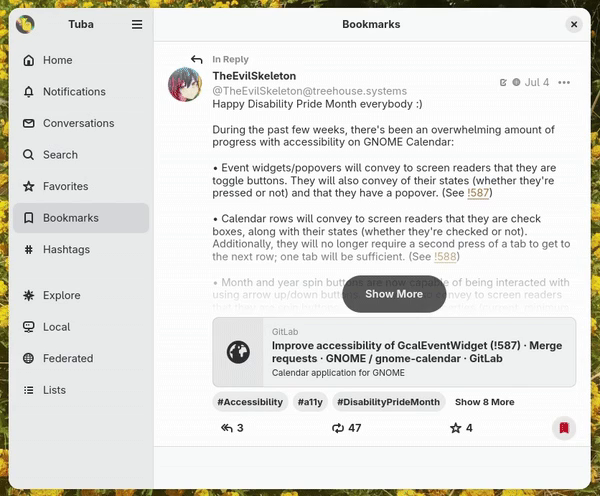
    Screen recording of Tuba. The user is browsing a long and collapsed post. They press the 'Show More' button at the bottom of the post, causing it to expand and show its whole content. They scroll to the bottom and press the reply bottom causing the new composer to show up. At the top there's the title "Reply to @TheEvilSkeleton" and right below it the same post. Below that there's the text input which is pre-filled with the tags of the mentioned users. The user then drags and drops an attachment from their desktop which gets uploaded while displaying the upload progress. They then make it 'sensitive' which makes it visually blurred. Lastly they click a floating pencil icon which shows the alt text editor and focus picker. They move the focus to the top left and go back, making toast appear notifying them that it was saved. Then they draft the post and the composer closes.
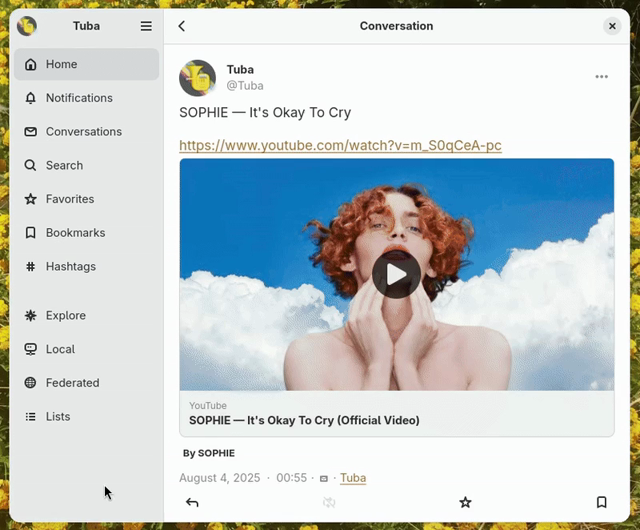
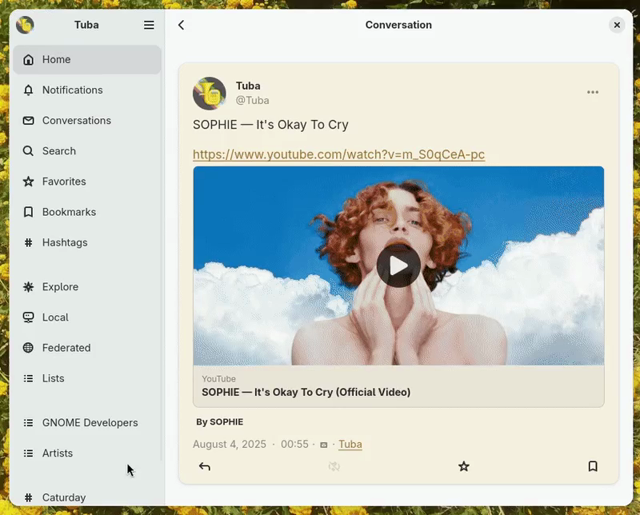
    Screen recording of Tuba. The user is browsing a post that has a youtube link and preview card. They click the preview card and the media viewer pops up, loading the video directly. Then they go back and click the link, causing the in-app browser to show up and load youtube.com.
    Screenshot of Tuba. The user is in the notifications tab showing a grouped notification. At the top there's a star and 2 avatars. Right below them the text "KEL & AUBREY [blobhaj emoji] favorited your post" and right below that a post by BASIL.
    Screenshot of Tuba. The user is on the Iceshrimp Drive view. There's 5 folders at the top following the system accent color and random images and other files below. Some files have badges at the top right of a pencil, person or crossed-out eye. It's similar to Nautilus.
    💬 2🔄 38⭐ 35

Replies

  • Aug 4, 2025, 2:04 AM

    - Favorite Hashtags on the sidebar
    - Post Redrafting
    - Endorsing accounts and featuring hashtags
    - More keyboard shortcuts
    - Settings overhaul
    - Audio visualizer optimizations
    - Report forwarding to more involved instances when supported
    - Enabled more features for Pleroma
    - Windows ARM builds
    - More fluid horizontal lists like emoji reactions and post hashtags
    - Many critical bug fixes and design improvements
    - Updated the website

    #GNOME #GTK #Vala #MastoDev

    Screenshot of Tuba. THe user is in the Hashtags View which shows two hashtags, Caturday and GNOME. On the left of each hashtag there's a star button, which is active in both cases. At the bottom of the sidebar the two hashtags are listed and the user is hovering over Caturday.
    Screenshot of Tuba. It's a close up to a Profile's tabs. The 'Featured' tab is active and below it there are 3 featured tags, GNOME, GTK and Vala. On the right of the hashtags there's the label '3 Posts' for each one.
    💬 1🔄 4⭐ 7
  • Aug 4, 2025, 2:06 AM

    New Composer

    The new composer is the result of a multi-year effort. A blog post explaining why and what made it such a difficult task is in the works!

    - Displays the replying-to or quoting post
    - DnD from the host and between attachments
    - Paste media from clipboard became a lot easier
    - Video thumbnailer
    - Animations
    - Combined focus picker and alt text editor
    - Automatically extracts alt text from file metadata when uploading
    - Uploading progress bar
    - And so much more

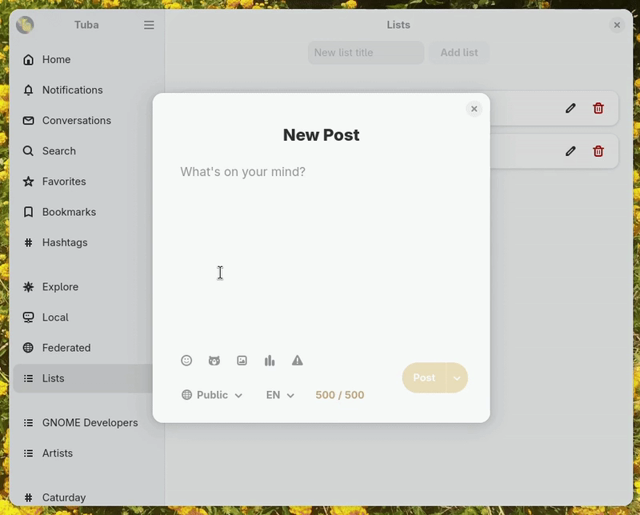
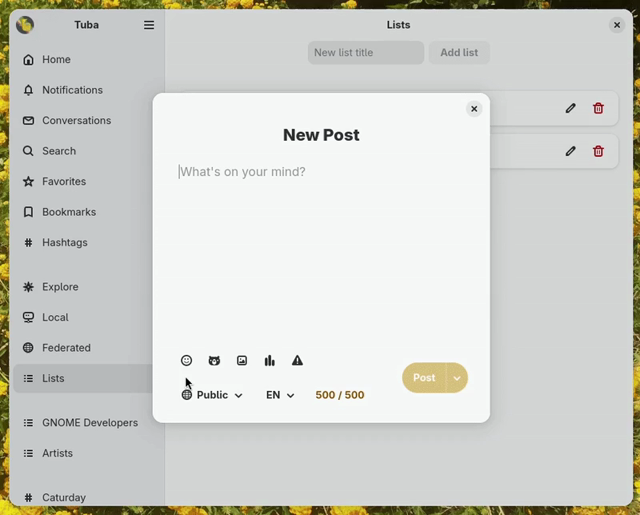
    Screen recording of Tuba. The user has the composer open which is empty. They first press ctrl V, causing a pop up to show up asking them if they are sure they want to past. They select Paste and an attachment gets added to the composer. While it's getting uploaded we see the upload progress. After it's doen we see its thumbnail. The user then drags and drops another attachment from their desktop. Then they drag and drop the second attachment on the first, causing them to switch places. They do it again and then click the floating trash icon for each attachment, deleting them both.
    Screen recording of Tuba. The user has the composer open and types 'Vote'. Then presses the poll button, causing 2 text entries to show up and 3 buttons below them. The rows have the title "Choice [number]" and a trash can on the right. The user starts filling them, causing a new row to show up as they get at the bottom of the rows. Then they click the first button changing the choice from single to multiple. Then the second button changing the results from show to hide and lastly the dropdown choosing 6 hours to expire. In the end, they select the content warning button causing an entry to pop up from below on which they enter "Poll".
    Screen recording of Tuba. The user is on a post and they click reply causing the composer to show up. The title is "Reply to @Tuba" and below it there's the post they are replying to. The user then types "!!!!" and selects 'Schedule Post...'. That causes the new composer to switch to the Schedule Post page on which they choose a random date.
    💬 1🔄 6⭐ 12
  • Aug 4, 2025, 2:07 AM

    In-app browser and Clapper

    Rafostar has been working hard on Clapper and clapper-enhancers which allows Tuba to play media from Youtube, Twitch, PeerTube and other platforms in-app! On Flatpak, it's available as a separate optional Add-on.

    The in-app web browser allows you to open links without leaving the app. It can be turned off in settings or be bypassed by middle clicking the link.

    💬 1🔄 1⭐ 3
  • Aug 4, 2025, 5:17 AM

    @Tuba wow, this is *packed* with updates! Great work!

    Have been waiting for grouped notifications for a long time. Appears to work fine, though for some reason only after restarting the app after toggling it in settings.

    💬 1🔄 0⭐ 0
  • Aug 4, 2025, 8:51 AM

    @YaLTeR 💖
    The one in settings is about *push* notification (the desktop ones), the in-app ones might require an app restart the first time so it gracefully updates from the v1 version of the API to the v2, though I can probably look into skipping that!

    💬 1🔄 0⭐ 0
  • Aug 4, 2025, 10:15 AM

    @Tuba ahh, I see. That setting is completely unrelated then. Yeah, that was confusing: I launched the app, saw ungrouped notifications, so went to check Preferences and found that setting, toggled it, then upon app restart notifications were grouped. But now I see that it's unrelated

    💬 0🔄 0⭐ 0