
Login
You're viewing the functional.cafe public feed.
  • Nov 16, 2026, 4:52 PM
    so apparently windows 11 has two versions of the same config panel thing for printers and devices, one (the left one) you access through "Printers & scanners" (the left one), and one you access through "Bluetooth and other devices" (the right one)

    the new, left one didn't allow me to manually add a printer, the old, right one did.

    fucking windows man
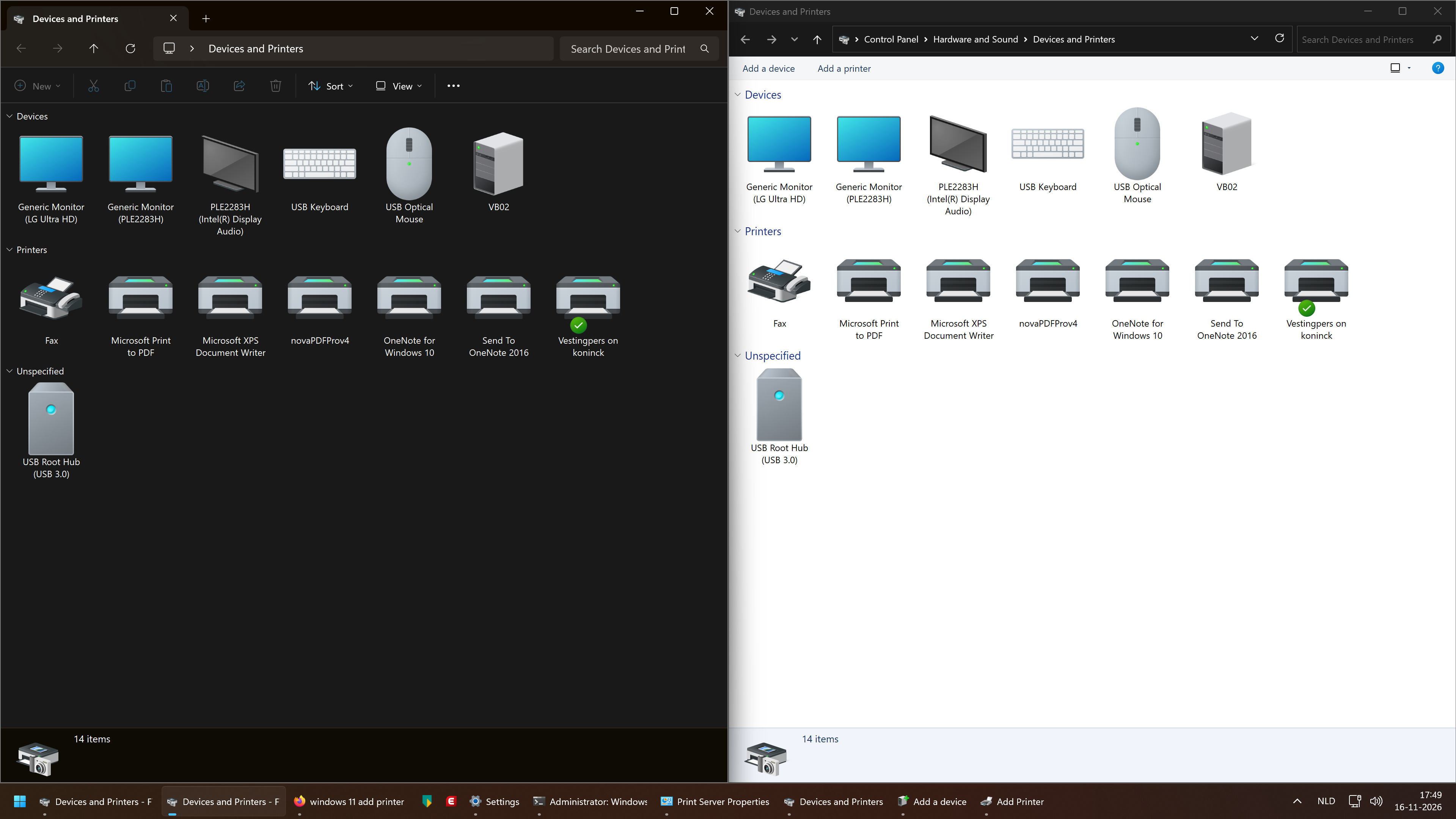
    two near identical "Devices and Printers" windows, except one is dark mode and the other is not. also, the right one has "Add a device" and "Add a printer" buttons, whereas the left one has the "New" button in the toolbar greyed out
    💬 3🔄 2⭐ 0

Replies

  • Nov 16, 2026, 6:07 PM
    turned out the issue was that a colleague stuck the printer on the incorrect vlan, which put it on a different subnet

    it wasn't actually the printer's, or Windows', fault!
    💬 0🔄 0⭐ 0
  • Nov 16, 2026, 4:55 PM

    @sijmen In the new Windows 11, you should be able to add printers through the Bluetooth & other devices panel in the settings "app"

    💬 0🔄 0⭐ 0
  • Nov 16, 2026, 5:11 PM
    @Ronflaix yeah that's what links to the right window. the printer in question couldn't be autodetected because old (it just wants PCL6 over TCP/IP), and the functionality for that (with Windows XP iconography!) was hidden away in there
    💬 0🔄 0⭐ 0
  • 💬 0🔄 0⭐ 0