
Veronica Olsen 🍂veronica@mastodon.online
Nov 14, 2026, 11:17 AM@DodoTheDev @novelwriter Hey, I'll look into it. Just for checking, does this command work?
flatpak run --env=QT_QPA_PLATFORM=xcb io.novelwriter.novelwriter
@DodoTheDev @novelwriter Hey, I'll look into it. Just for checking, does this command work?
flatpak run --env=QT_QPA_PLATFORM=xcb io.novelwriter.novelwriter
@DodoTheDev Ok, so the crash is on the Qt side and is likely a Qt bug, but the code in novelWriter that triggers it is related to the current line highlight. You can try to turn that off, and I will see if I can avoid triggering this issue from novelWriter in 26.2.3.

@veronica
Ah, in that case sorry for bothering you but thank you do much for letting me know.
Unfortunately, I can't turn off the setting as it won't even launch the app to let me change the settings.
@DodoTheDev See my other response.
@veronica @novelwriter
Um, no?
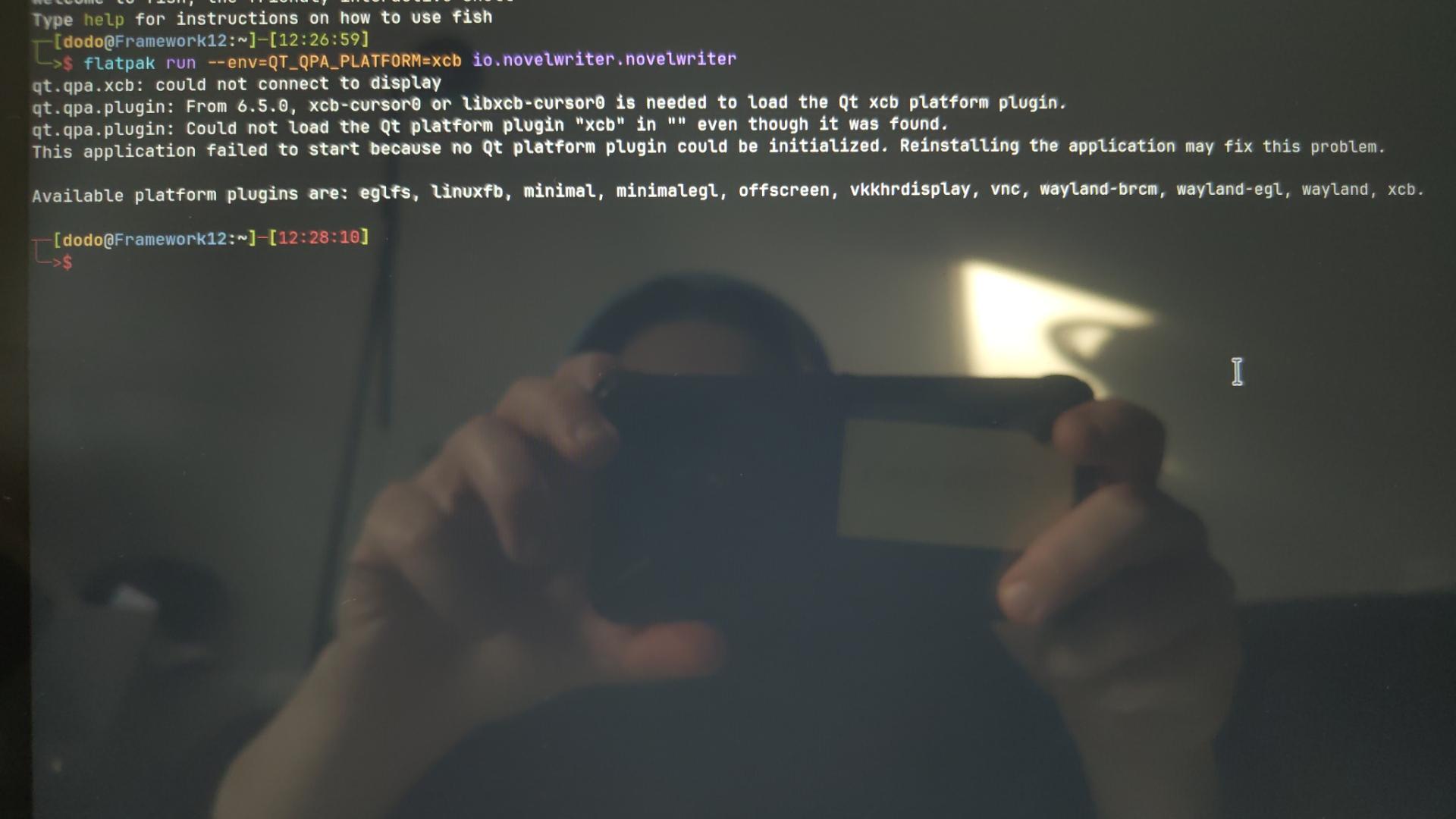
@DodoTheDev Ok, just needed to check if it was a Wayland issue. The crash is in Qt, not novelWriter, as mentioned. Do you have "highlight current line" enabled? If you turn it off, does that help? You'd need to edit the config file inside the flatpak's user config folder. It should be:
~/.var/app/io.novelwriter.novelwriter/config/noverlwriter.toml
The setting is lineHighlight
@veronica
Yes! That worked! Thank you do much! I will make a donation later today/tomorrow. You have my word!
@DodoTheDev Much appreciated 😊
I'm redesigning the line highlight to draw on the underlying frame instead of via the text layout, which is where the crash happens. There's a tiny overhead when doing this, but I think it's worth it here.
I'm planning to release 26.2.3 later today, so you can hopefully turn on the highlight feature after that. At least for testing that the fix works, which would be helpful too.
@veronica
Will do, I'll.oet you know tomorrow.
@DodoTheDev And the screenshot indicates that it wasn't even able to run without Wayland, so it doesn't rule out if this is Wayland-related. In any case, the whole code path in Qt that is crashing here is best avoided, so I'm working on a way to get around the problem.