
Login
You're viewing the f.duriansoftware.com public feed.
  • Aug 3, 2026, 12:20 PM

    Some sporadic improvements to my 65(c)02 graphical emulator:

    • Merged the device list and device view to save space
    • Added a memory viewer with basic edit capabilities
    • Each device has an assigned color. The memory viewer uses this information to highlight the part of the address space assigned to a device with its color
    • Clicking on an address range on the device view will scroll the memory viewer to that address

    Still many things to do…
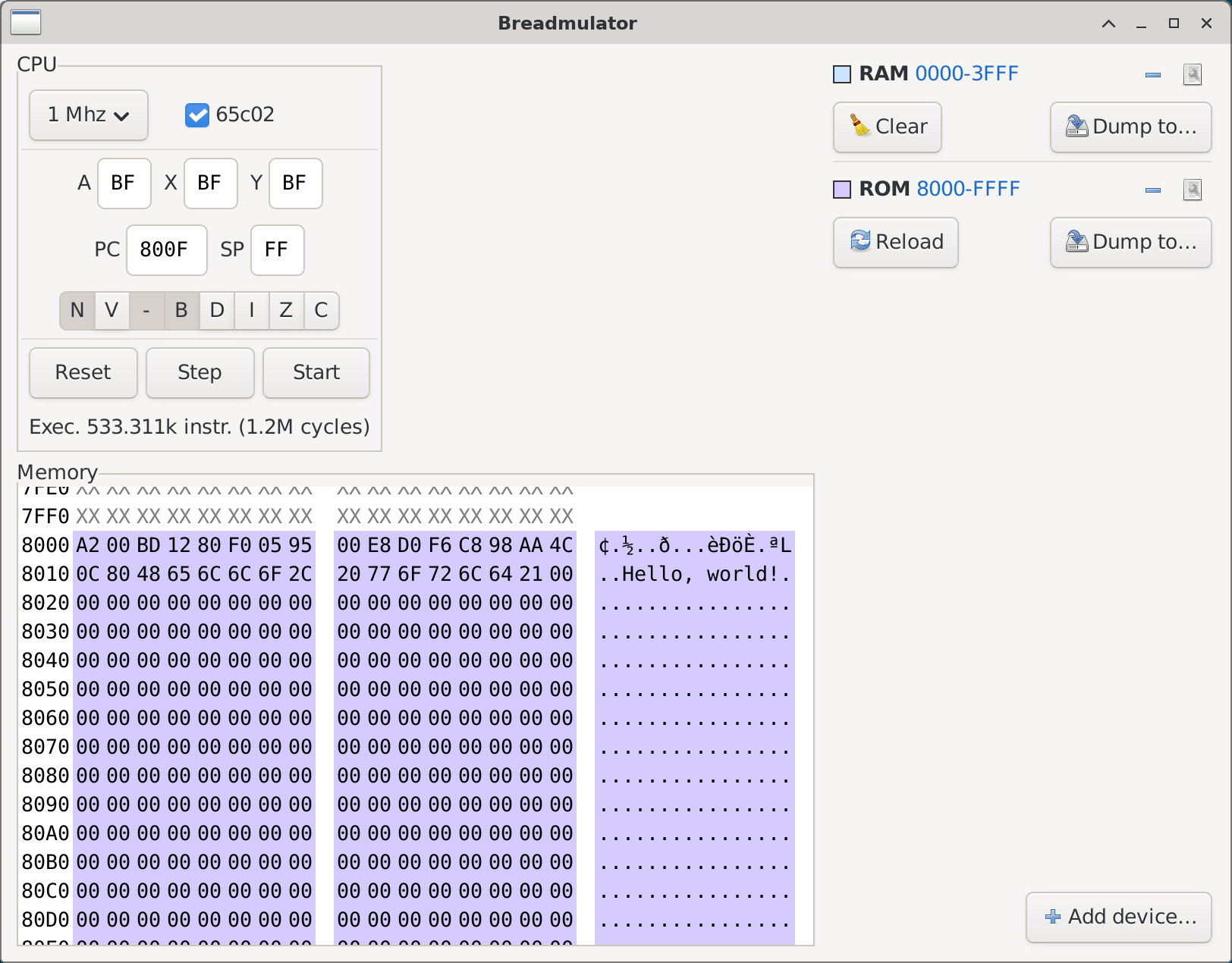
    A screenshot of a window title “Breadmulator”.
On the top left, a section titled “CPU” shows various controls and statuses related to the emulated 6502/65c02 CPU.
On the bottom left, a section titled “Memory”, roughly twice as large as the “CPU” section, contains a hex editor, showing addresses around hex 8060.
Its top two visible lines, for addresses hex 7FE0 and 7FF0, have a white background and grey text that displays “XX” for the bytes values.
The rest of the lines, at addresses hex 8000 and up, have a light purple background and black text that display actual memory contents; the ASCII view on the right shows a “Hello, world!” text around address hex 8010.

On the top right is the view of devices.
The RAM device is presented by the following items
- A light blue square, a “RAM 0000-3FFF” text,  a remove button and a properties button
- On the next line, a Clear button and a Dump to button
Then a separator and the ROM device:
- A light purple square (same color as in the memory viewer), a “ROM 8000-FFFF” text,  a remove button and a properties button
- On the next line, a Reload button and a Dump to button

On the bottom right is a single Add device… button.
    💬 0🔄 1⭐ 0