 7/4/2025
Aaaand there's a bunch of posts on the timeline flooding in from other fedi servers that didn't manage to connect via IPv6, look at that x3
And I can finally adopt my new Unifi switch to the self-hosted controller, yay
7/4/2025Aaaand there's a bunch of posts on the timeline flooding in from other fedi servers that didn't manage to connect via IPv6, look at that x3
And I can finally adopt my new Unifi switch to the self-hosted controller, yay
7/4/2025Which also explains why my vault wouldn't sync being on a two week on-site work trip, since the network there is also pure legacy IP (unfortunately).
It all makes sense now!
7/4/2025Turns out: HAproxy on the server side kept crashing for god knows how long now after I removed a domain one of the backends pointed towards, now unable to be resolved. But since it only handled IPv4 connections, those were the only ones that broke.
At the same time, IPv6 in my home network seems to have fallen over with an unrelated cause and at work, we just don't have IPv6 connectivity. But most mobile providers do offer IPv6 per default, so those connections would work.
Arggghhh!
7/4/2025Fffffffffffuuuuu...
I've been chasing this problem I've had for days at this point, where I could connect to a bunch of my self-hosted services on a VPS perfectly fine from some internet connections, but fail to connect from others. Mobile data would work just fine e.g. connecting to this Masto instance, but at home or at work, connections were simply refused unless it was an ICMP packet...
Checked firewalls, traceroutes, local network configuration, client configs, no dice.
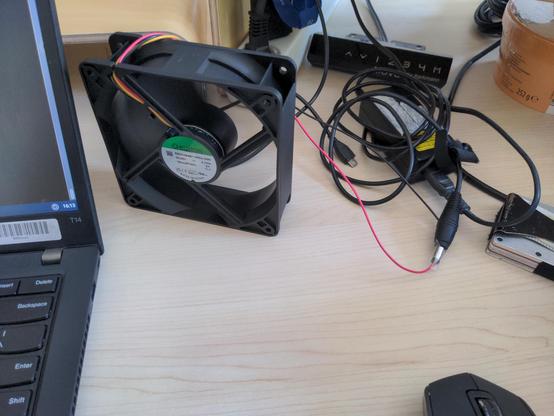
7/2/2025Keeping cool at work, the simple but effective slightly-jank solution :3
 6/5/2025
Did I say two days? I meant since early April, looking back at the usage graphics in Proxmox, it just never reached levels where my monitoring shows alerts of high CPU usage, until two days ago...
6/5/2025Fucking hell, can't host a Gitea instance without some form of crawler/AI blocker in front of it without getting DDoSed by Google, Amazon and whatever AI company also feels like gobbling up some juicy data for TWO ENTIRE DAYS STRAIGHT pinning the CPU at near 100% load.
There's only like two OpenWRT based projects and a few small ones with a dozen or so files at most publicy accessible, but I guess everyone's crawlers gotta get their broken OpenWRT source from my goddamn server, all at once -w-
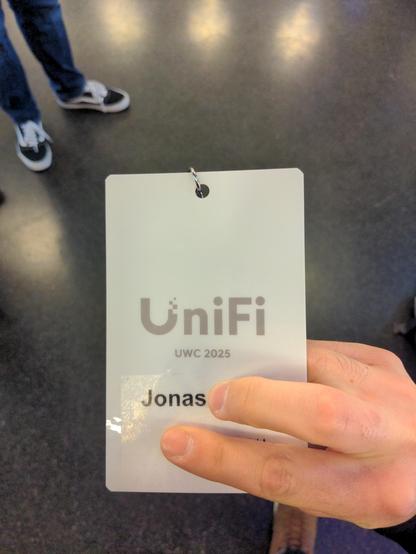
5/22/2025Who'd've thought, lots of business and marketing talk, some interesting technological insights and announcements to upcoming products and new features, but most importantly, free snacks and drinks *and* a free 2.5G USW Flex Mini, noice :3
5/22/2025Let's see what this is all about :neocat_think:
 5/20/2025
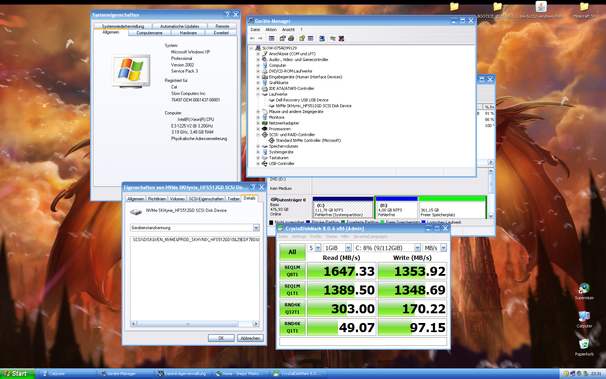
For those curious, the system is booted with the help of a USB stick containing @manawyrm 's NVMe BIOS OptionROM: https://github.com/Manawyrm/nvme-int13h-optionrom
And the installer ISO is patched to include a backported NVMe and USB3.0 driver through this package: https://zone94.com/software/operating-systems/123-windows-xp-professional-sp3-x86-integral-edition
5/20/2025Well, I'll be damned, it actually works!
Windows XP booted straight off of an NVMe PCIe SSD and bare metal!
This has got to be the fastest and most snappiest XP machine I've ever played around with :3
 5/16/2025
Installing Windows XP onto an NVMe, what could go wrong!
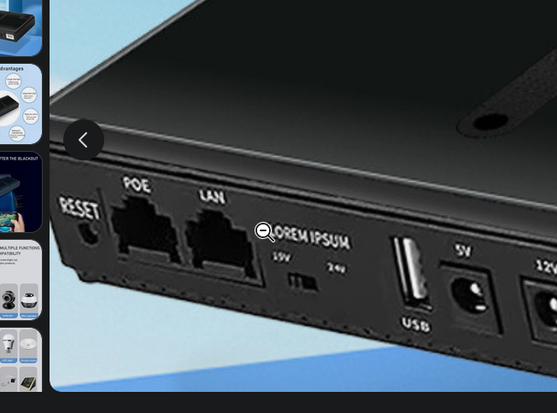
4/29/2025Oh good, they support both, the 15 and the 24V LOREM IPSUMs!
 4/20/2025
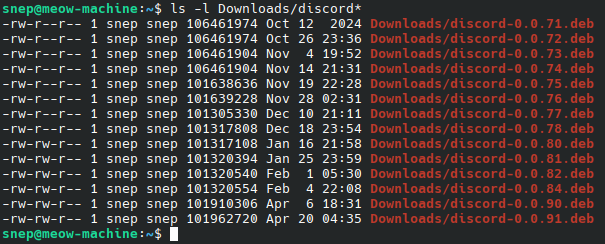
I wish Discord would just create an official APT repository...
 4/19/2025
And as cool as tape backups might be, getting a modern enough drive which supports tapes large enough to actually fit those 14, let alone 28TB, even in compressed form on them without breaking the bank is wishful thinking at best :v
4/19/2025And doing RAID on the backup server would not only mean paying more than double for what the actual server HDDs would cost to have at least the same amount of storage, but also paying a lot more for power if the drives run 24/7, which probably comes out to around the same 500 bucks that a large enough HDD would cost (like those 28TB Seagate server drives).
Maybe 14TB is enough for an upgrade for now... :floofWoozy:
4/19/2025Planning to upgrade my 4TB homelab storage to a bit more since it's almost full and whilst getting 2x14TB refurbed SAS HDDs and a controller is easily and somewhat cheaply doable...
What about backups? 14TB could be backed up by a single 20TB HDD with room to spare for differential backups, not too bad. But going just one drive more to 28TB usable storage (2x14TB + 14TB parity), you'd have to do RAID on the backup server too or pay like 500+ bucks for a HDD large enough, dang... :neocat_think:
4/17/2025And! And!
The part of the aluminum body the battery sits in is both terribly inaccessible for a spudger or plastic pick, whilst also having little slots through to the other side of the lower chassis which will dump any glue removers/solvants straight onto the fragile display if you're not careful. Good design!
4/17/2025A very "fuck you" to the goddamn 2019 MacBook Pro whose batteries can only be swapped after removing the. entire. motherboard. because the two flat-ribbons carrying the battery power positive and negative had to be run underneath the board. But not without an ungodly amount of sticky tape that holds the bare cells in, of course, no no no! What's a battery swap without a bit of russian roulette whether or not you pierce or squish the battery too much :neocat_facepalm:
4/16/2025redis and mysqld as a Windows service just... feel wrong